

Captions
Captions are essential for narrated tutorials — they improve accessibility, boost engagement on muted social feeds, and help viewers follow along in noisy environments. Tutorial AI supports two types.
Closed captions (uploaded file)
Section titled “Closed captions (uploaded file)”Closed captions are separate files that viewers can toggle on/off and switch languages.
Pros:
- Viewers can toggle captions on/off
- Supports multiple languages
- Searchable and indexable by platforms
- Styling controlled by the video host
Cons:
- Most players show captions off by default
- In muted/autoplay embeds, viewers may not realize audio is available
- Styling varies by platform
How to add:
- Generate your video
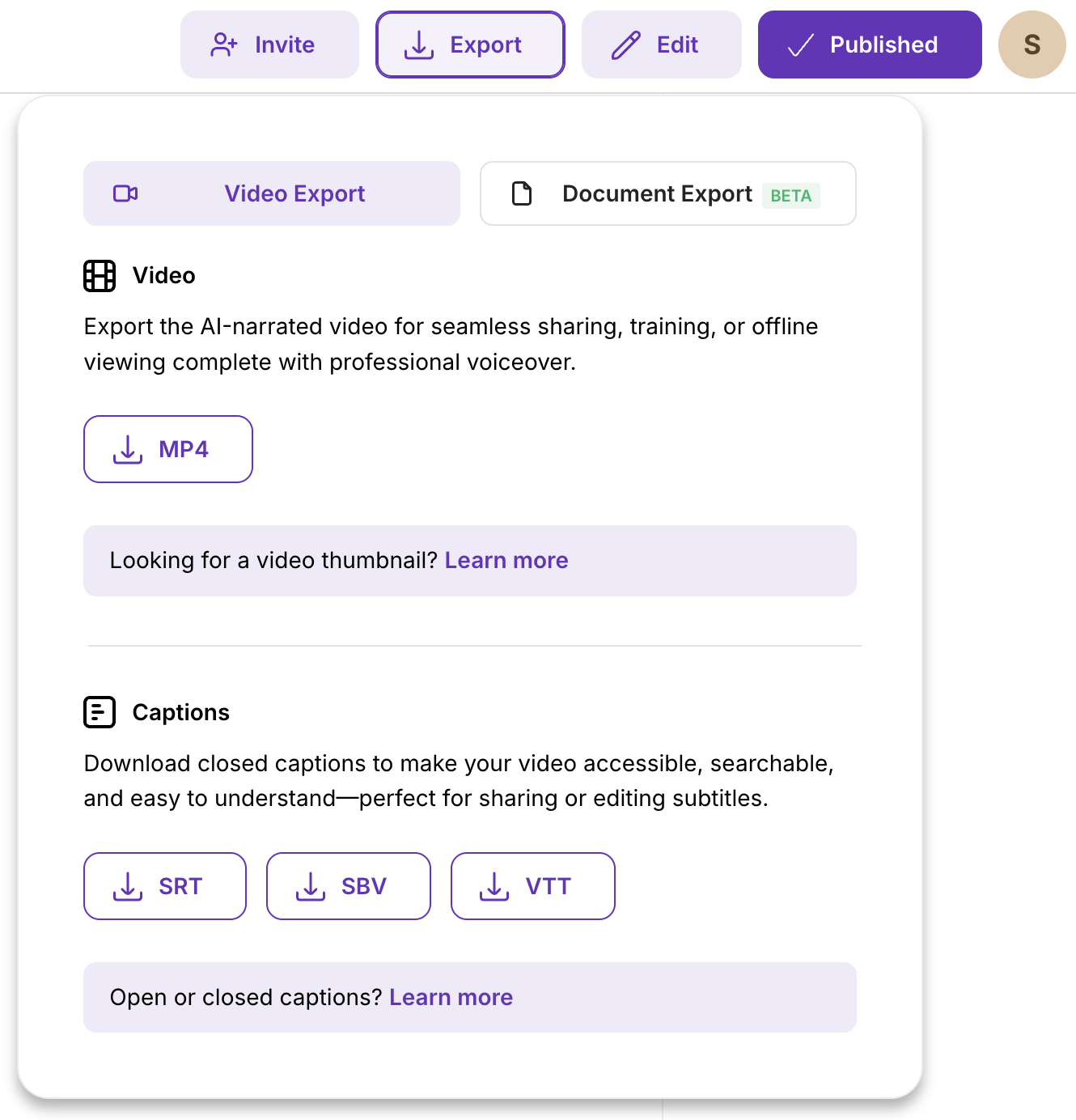
- Go to Export → download a caption file (.srt, .sbv, or .vtt)
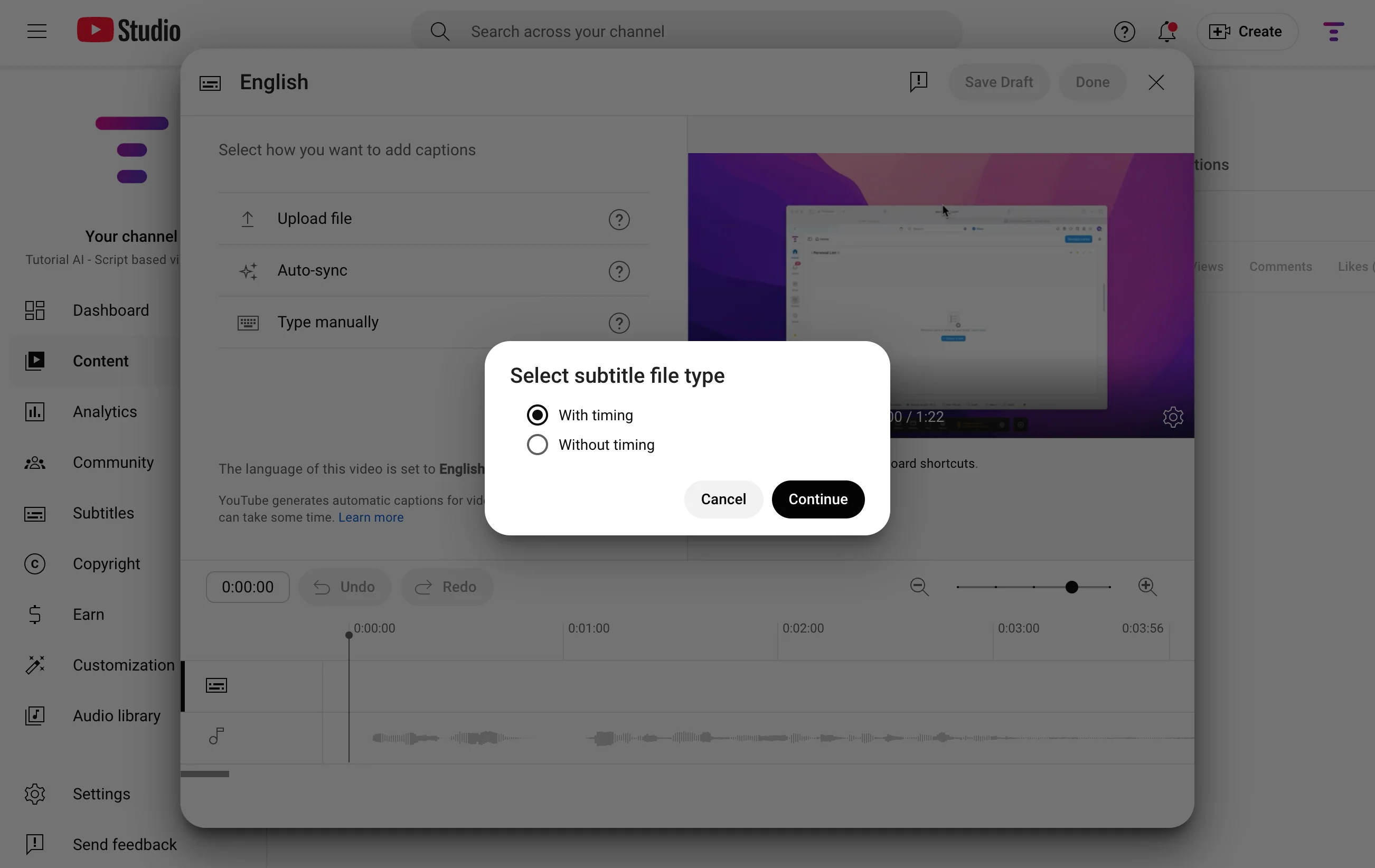
- Upload the file to your video host (YouTube, Vimeo, LMS, etc.)
- Make sure you select the “With timing” option
Open captions (burned-in)
Section titled “Open captions (burned-in)”Open captions are permanently rendered into the video itself — always visible, no toggle.
Pros:
- Always visible — great for social feeds where sound is off by default (LinkedIn, X)
- Consistent look that matches your brand
- Works everywhere, even where caption files aren’t supported
Cons:
- Cannot be toggled off by viewers
- May cover on-screen UI elements
- If the host also shows closed captions, you get duplicates
How to add:
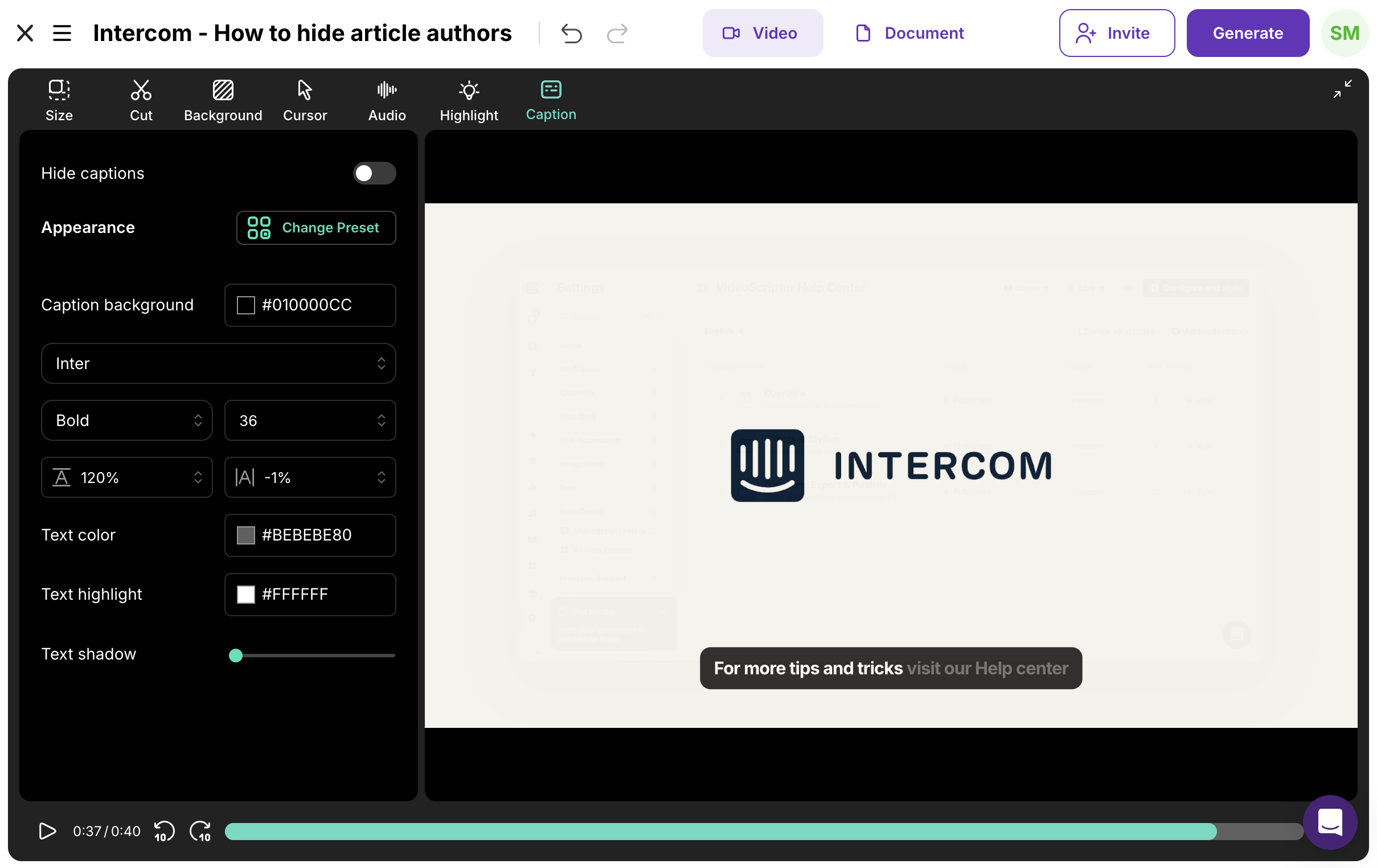
Open the Captions tab in the video toolbar and configure your caption styling — font, size, position, colors.
Quick guidance
Section titled “Quick guidance”| Scenario | Recommendation |
|---|---|
| Social feeds / muted autoplay | Burn-in (open captions) |
| YouTube, LMS, multi-language | Upload caption files (closed) |
| Internal help center embeds | Either — depends on your player |
| Accessibility compliance | Both — burned-in for default visibility, files for language options |
Next steps
Section titled “Next steps”- 1-Click Translation — Translate captions into 74 languages
- Export Video — Export with caption files
- Backgrounds — Adjust the background behind your captions