

Article Basics
Tutorial AI can automatically generate a written article with screenshots from any screen recording — giving you both a video tutorial and written documentation from a single recording.
How it works
Section titled “How it works”After creating a video project, switch to the Document tab to generate written documentation.

Click Generate Documentation — AI analyzes your video and narration, then transforms the content into structured written instructions:
- Screenshots are captured at key moments in your recording
- Text instructions are generated from your script
- The article is assembled with screenshots placed alongside each step
Adding screenshots
Section titled “Adding screenshots”Use the built-in Screenshot Selector to grab frames directly from your video — no manual screenshots needed.
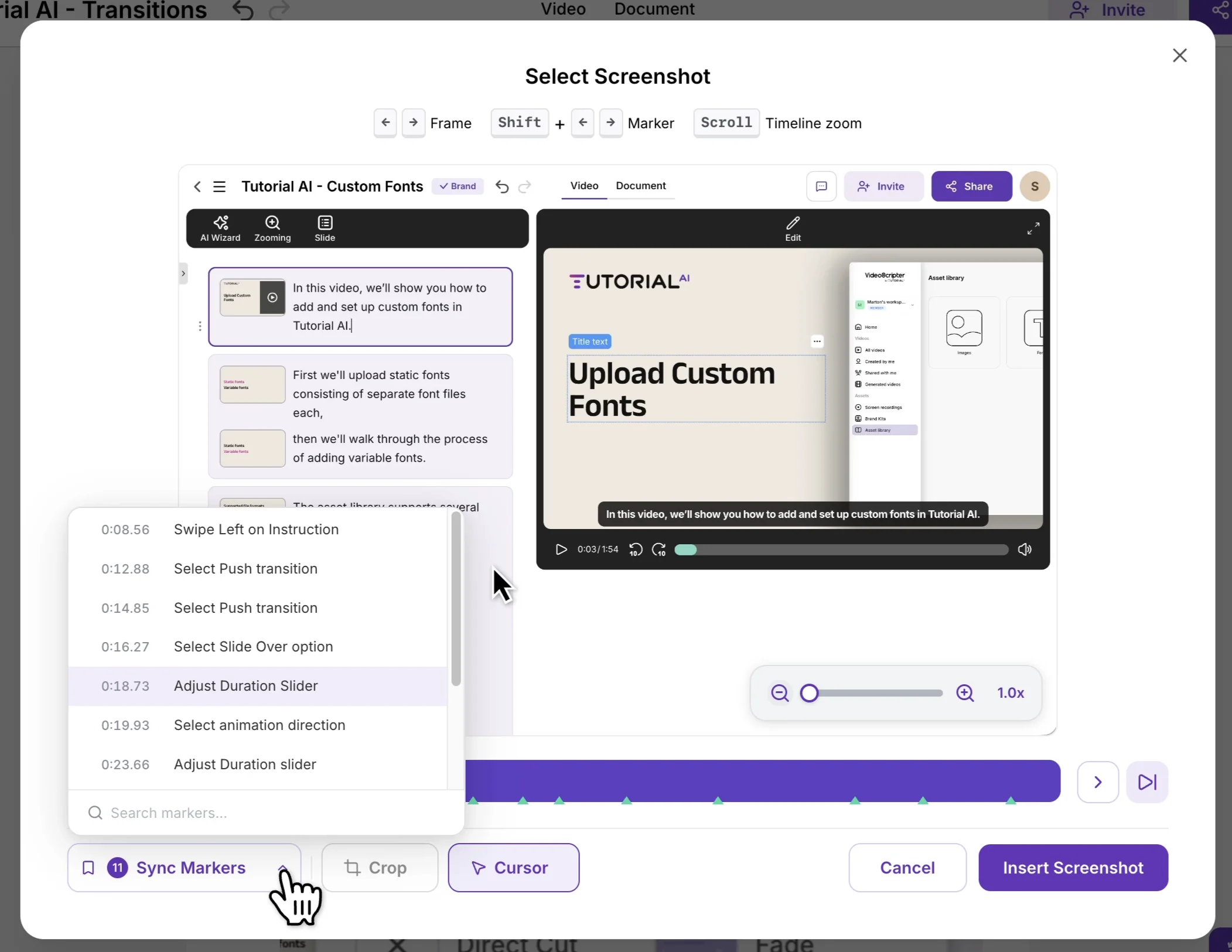
The selector highlights key events and Sync Markers along your video’s timeline, making it easy to find the right frame. You can also use the Crop Tool to focus on a specific area of the screenshot before inserting it.
Editing the article
Section titled “Editing the article”Customize the generated article using the built-in editor:
- Edit the text for each step
- Select which screenshots to include or exclude
- Reorder steps as needed
- Add headings to organize content into logical sections
- Format with bold, lists, and other standard options
Exporting
Section titled “Exporting”When your article is ready, click Export and choose your preferred format.
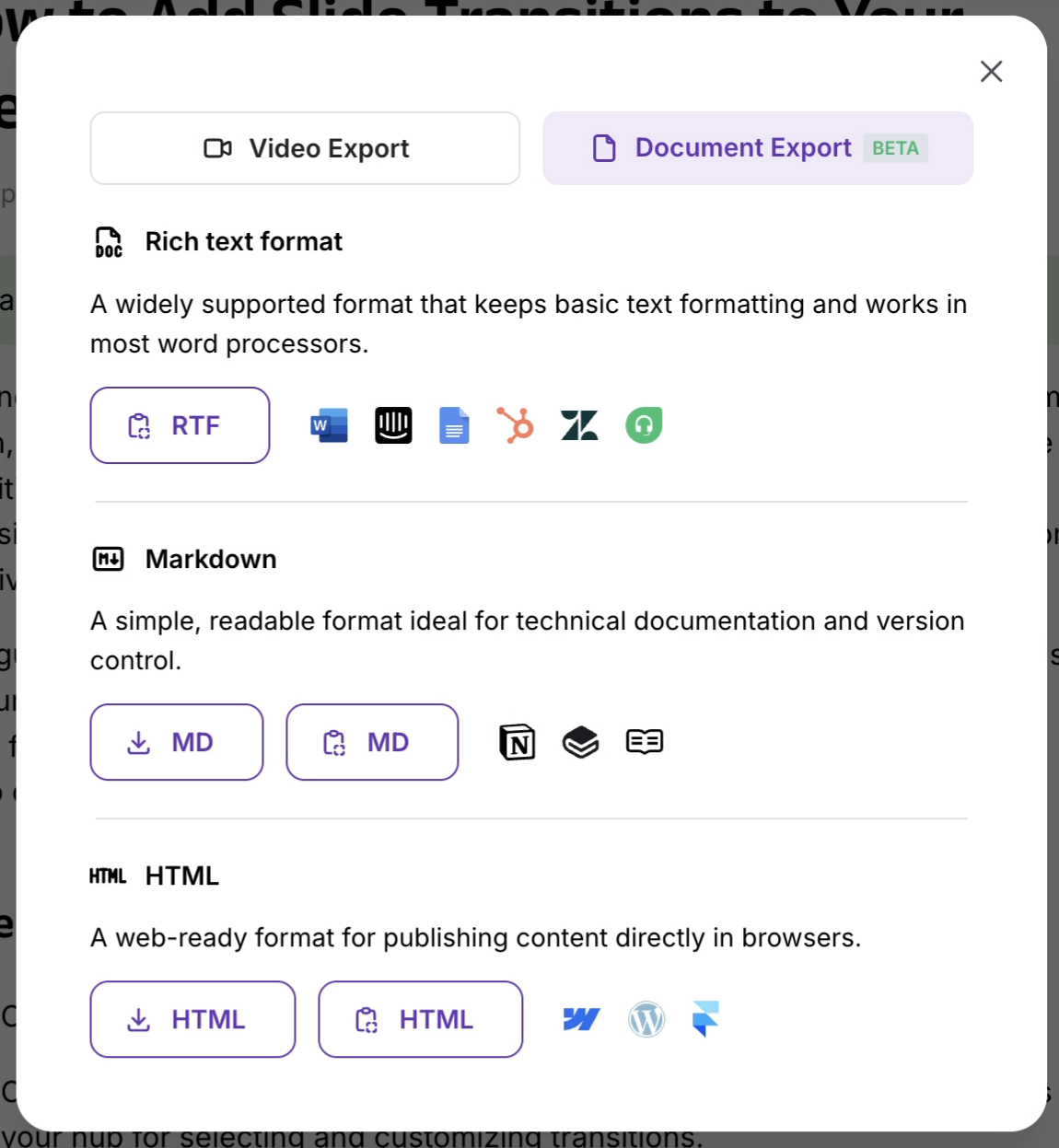
Available export formats and integrations:
| Format | Use case |
|---|---|
| Word (.docx) | Office documents, internal sharing |
| Google Docs | Collaborative editing |
| Notion | Team wikis and knowledge bases |
| Zendesk | Customer support articles |
| HubSpot | Marketing knowledge bases |
| WordPress | Blog and CMS publishing |
| Webflow | Website content |
| Markdown | Developer docs, static sites |
| HTML | Web publishing |
| RTF | Universal rich text |
All formats preserve your document structure, formatting, and screenshots.
Why both video and articles?
Section titled “Why both video and articles?”Different people learn differently. Some prefer watching a video, others prefer reading step-by-step instructions. By producing both formats from one recording, you serve every learning style without extra work.
Written articles also improve SEO — making your content discoverable by search engines and AI assistants in ways that video alone can’t.
Next steps
Section titled “Next steps”- Quickstart — Create your first video in 5 minutes
- Video Basics — Understand the video creation workflow
- Generate Documentation — Full documentation generation guide
- Export Documents — Detailed export options