

Chrome Extension
Tutorial AI offers two ways to record: the Desktop App and the Chrome Extension. While both produce recordings you can edit in Tutorial AI, they’re designed for different goals.
When to use the Chrome Extension
Section titled “When to use the Chrome Extension”The Chrome Extension is optimized for speed and simplicity when everything happens inside the browser.
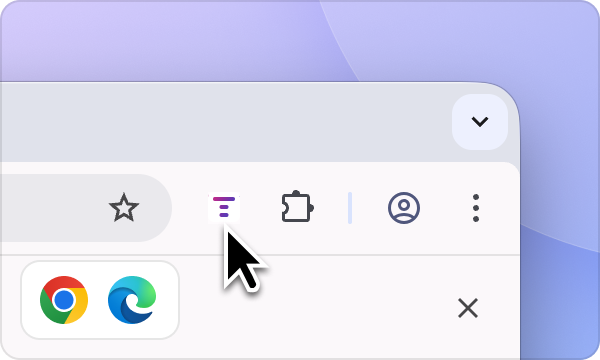
Quick browser walkthroughs
Section titled “Quick browser walkthroughs”Use the Chrome Extension for:
- Simple SaaS flows
- Short feature explanations
- One-tab or one-tool demos
It’s the fastest way to record when cursor polish isn’t critical.
Lightweight, informal recordings
Section titled “Lightweight, informal recordings”The extension is great for:
- Internal references
- Quick explanations
- Capturing something on the fly
No install friction, no setup — just hit record.
Web-only workflows
Section titled “Web-only workflows”If your entire process lives inside Chrome and doesn’t require desktop apps, file system access, or cursor enhancements, the Chrome Extension is sufficient.
When to use the Desktop App
Section titled “When to use the Desktop App”The Desktop App is the better choice when you want high-quality, professional tutorials with full control over how interactions appear.

Advanced cursor rendering
Section titled “Advanced cursor rendering”The Desktop App captures the screen without recording the cursor directly, then re-draws the cursor on top of the video afterward. This unlocks features that browser extensions cannot offer:
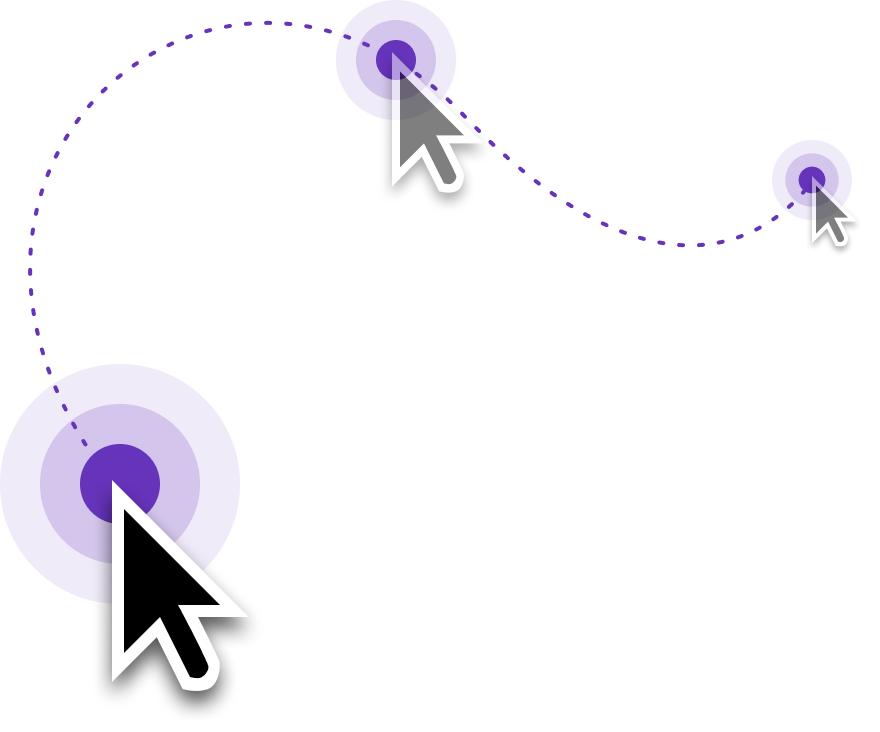
- Enlarged cursor for better visibility
- Smooth cursor movement
- Simplified mouse paths (straight from click to click)
- Reduced cursor flicker and jitter
- Auto-hide cursor when idle
Learn more in Cursor Effects.
Record anything on your computer
Section titled “Record anything on your computer”Unlike browser extensions, the Desktop App captures:
- Native desktop apps (Figma, Slack, Excel, IDEs, design tools)
- Multi-app workflows
- System dialogs, menus, and file operations
- A selected area of your screen
Comparison
Section titled “Comparison”| Use case | Recommended tool |
|---|---|
| Polished, professional tutorials | Desktop App |
| Enlarged, smooth, simplified cursor | Desktop App |
| Desktop apps or multi-tool workflows | Desktop App |
| Customer-facing documentation | Desktop App |
| Quick browser walkthroughs | Chrome Extension |
| Simple, web-only flows | Chrome Extension |
| Fast, informal recordings | Chrome Extension |
If you want tutorials that look professional, feel smooth, and are easy to follow — use the Desktop App. Use the Chrome Extension when speed matters more than polish and your workflow stays entirely in the browser.
Next steps
Section titled “Next steps”- Screen Recording — Full guide to the Desktop App
- Recording with Audio — Speak while recording for better scripts
- Recording Best Practices — Tips for clean recordings