

Mobile Recording
Tutorial AI supports mobile screen recordings for creating tutorials of iOS and Android apps. Since mobile screens don’t visually capture tap gestures by default, Tutorial AI provides a Tap Marker tool to highlight touch interactions in your video.
How to record mobile screens
Section titled “How to record mobile screens”There are two ways to get a mobile recording into Tutorial AI:
| Method | Platform | How |
|---|---|---|
| Direct capture | iOS (Mac only) | Connect your iPhone/iPad to your Mac and use the Desktop App’s mobile recording feature |
| Import recording | iOS, Android | Record with your device’s built-in screen recorder, then import via Upload Mobile Recording in the Screen Recordings tab |
Adding tap markers
Section titled “Adding tap markers”When recording on a mobile device, tap gestures are not visually captured by default. The Tap Marker tool lets you mark where taps occurred so viewers can follow your actions.
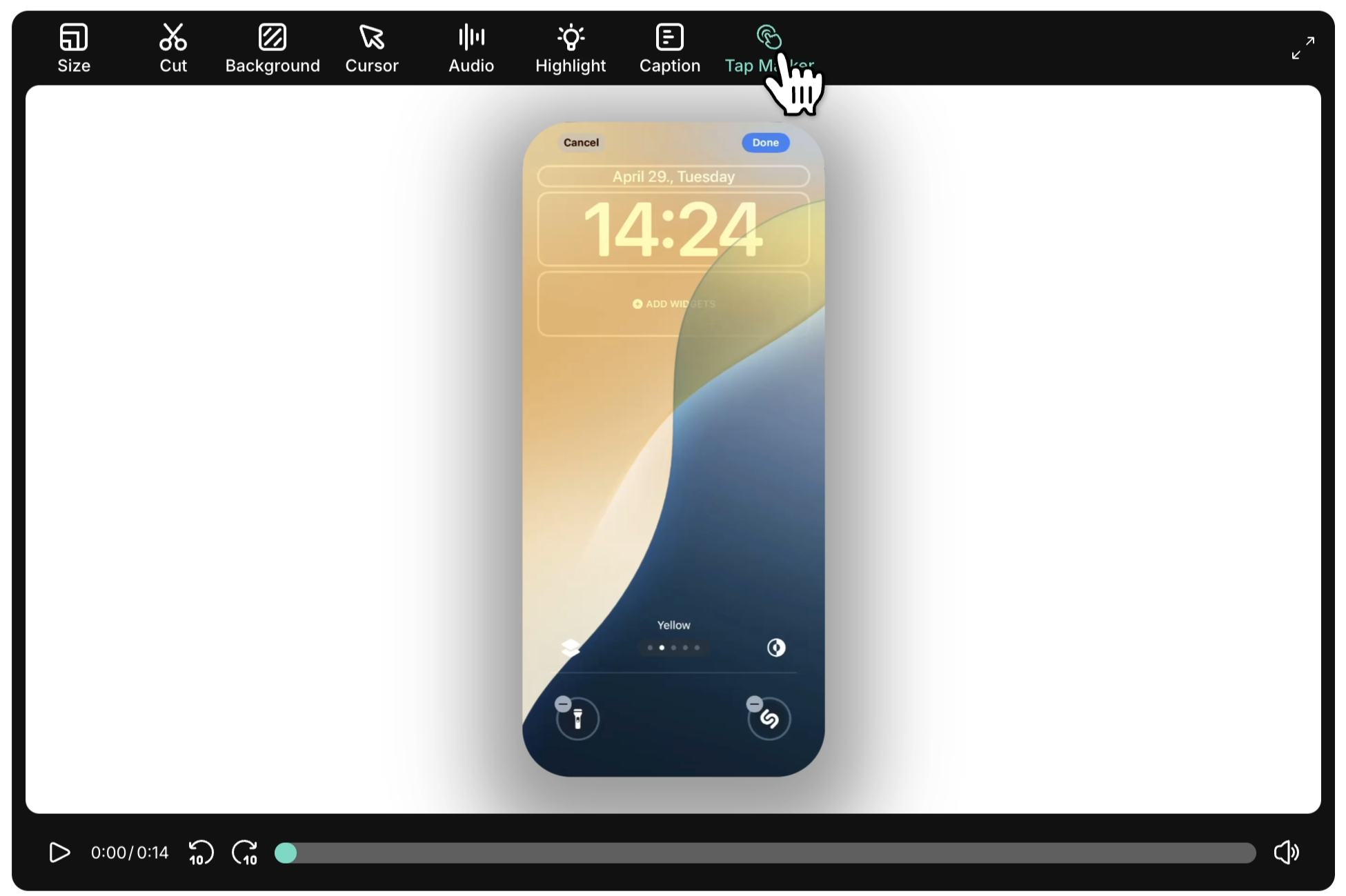
Step 1: Open the Tap Marker tool
Section titled “Step 1: Open the Tap Marker tool”Open the Tap Marker tool from the video toolbar.
Step 2: Locate the tap frame
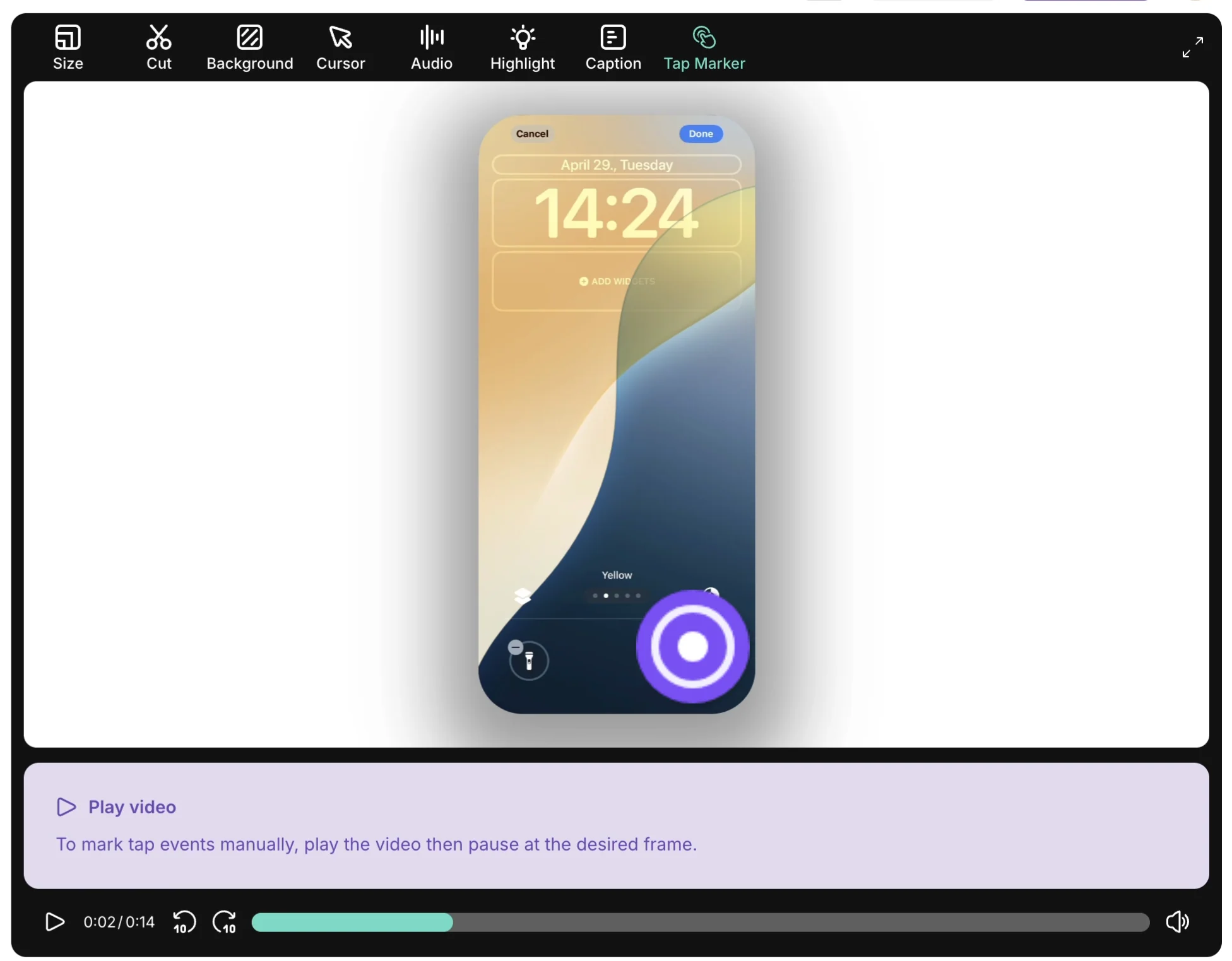
Section titled “Step 2: Locate the tap frame”- Play your video
- Pause at the point where an interaction occurred
- Use the left and right arrow keys to move frame by frame for precise placement
Step 3: Mark and name the tap
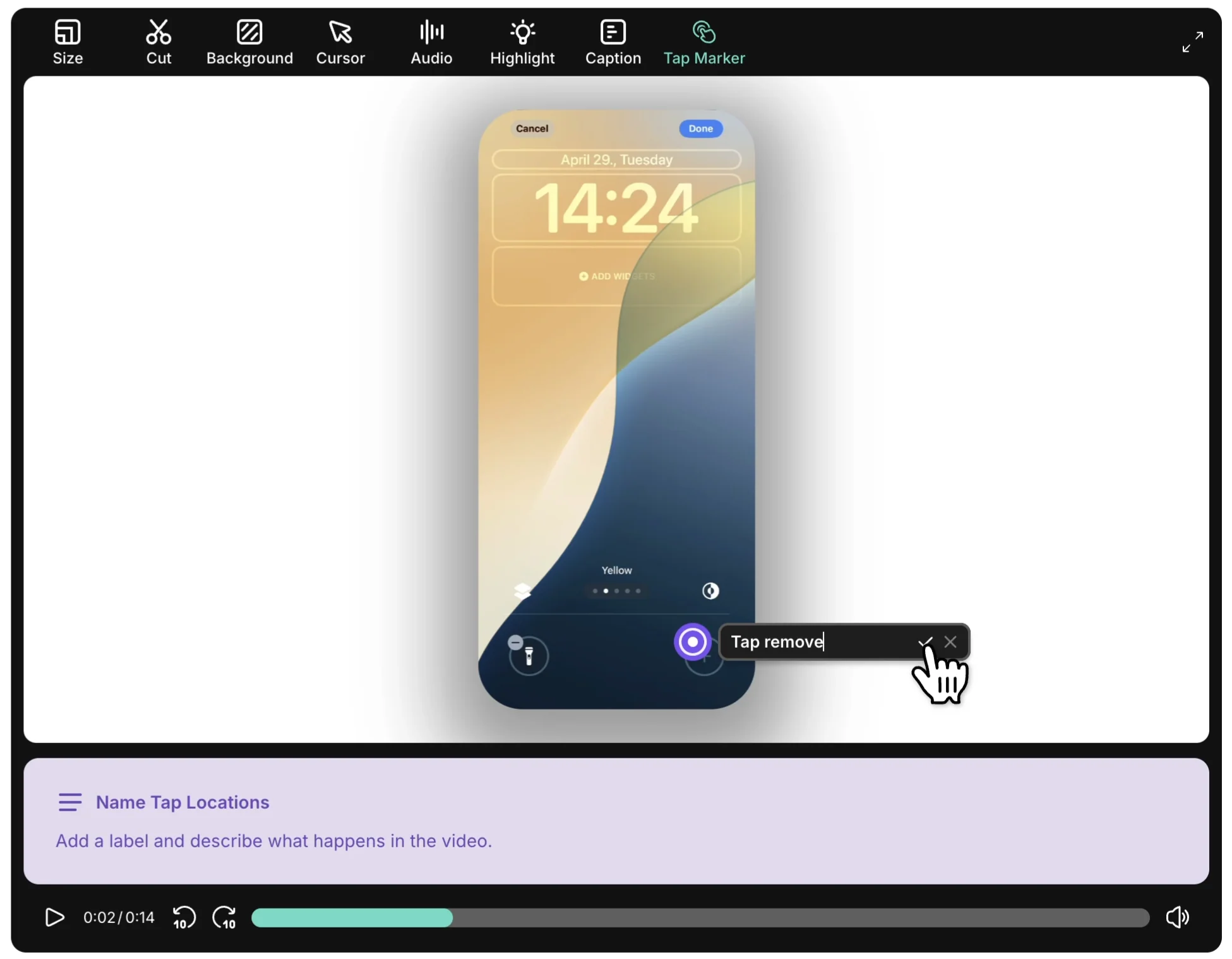
Section titled “Step 3: Mark and name the tap”Click the screen at the tap location, then assign a descriptive name to identify it in your workflow.
Step 4: Sync taps with narration
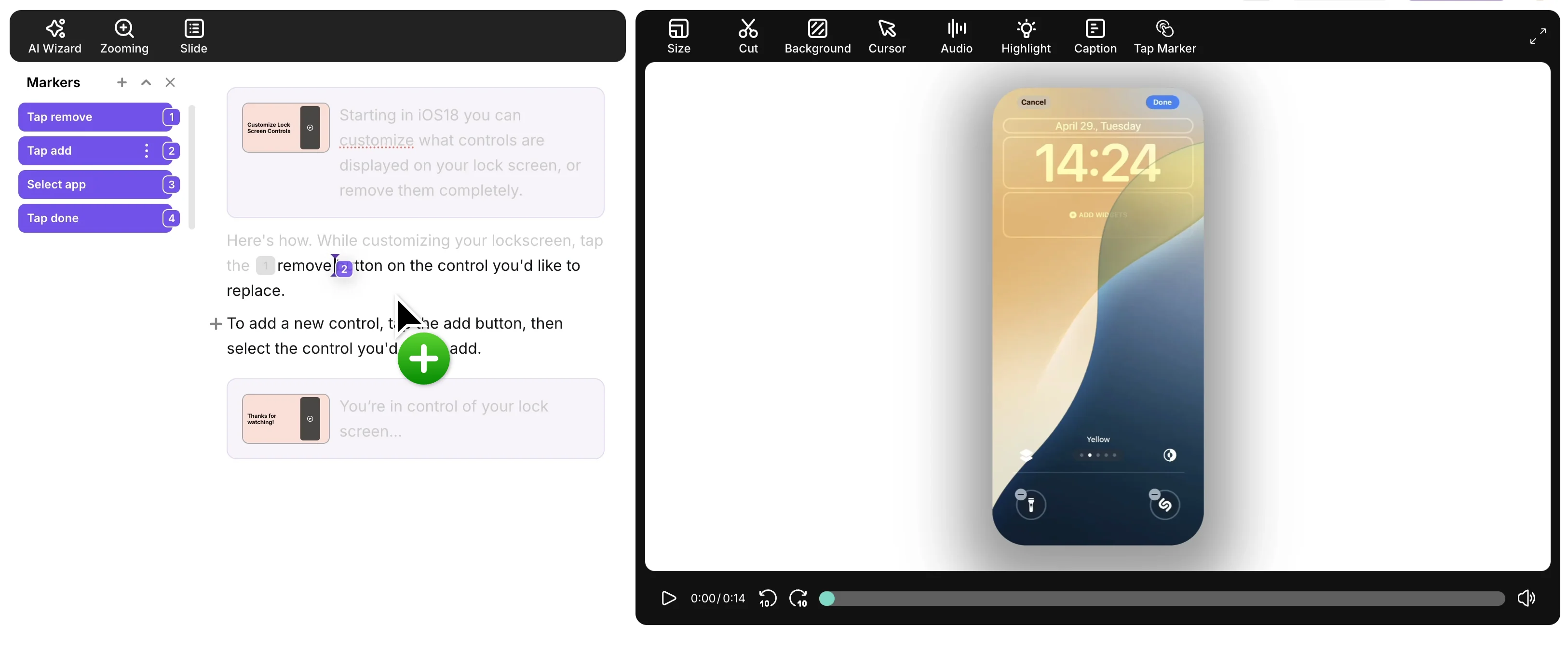
Section titled “Step 4: Sync taps with narration”All recorded taps appear as Sync Markers within your project. After marking all relevant taps:
- Click Finish to proceed
- Tutorial AI uses the tap names to auto-generate a script aligned with your actions
- Drag the Sync Markers into their corresponding points in the narration editor to synchronize tap events with your narration
Next steps
Section titled “Next steps”- Screen Recording — Desktop App recording guide
- Script Editing — Edit and sync your narration with Sync Markers
- Zooming — Add zoom effects to highlight details in your recording