

Multilingual Player
The Multilingual Player bundles all translated versions of a video into a single embed. Viewers select their preferred language from a dropdown built into the player controls — no separate embeds, no page navigation, no friction.
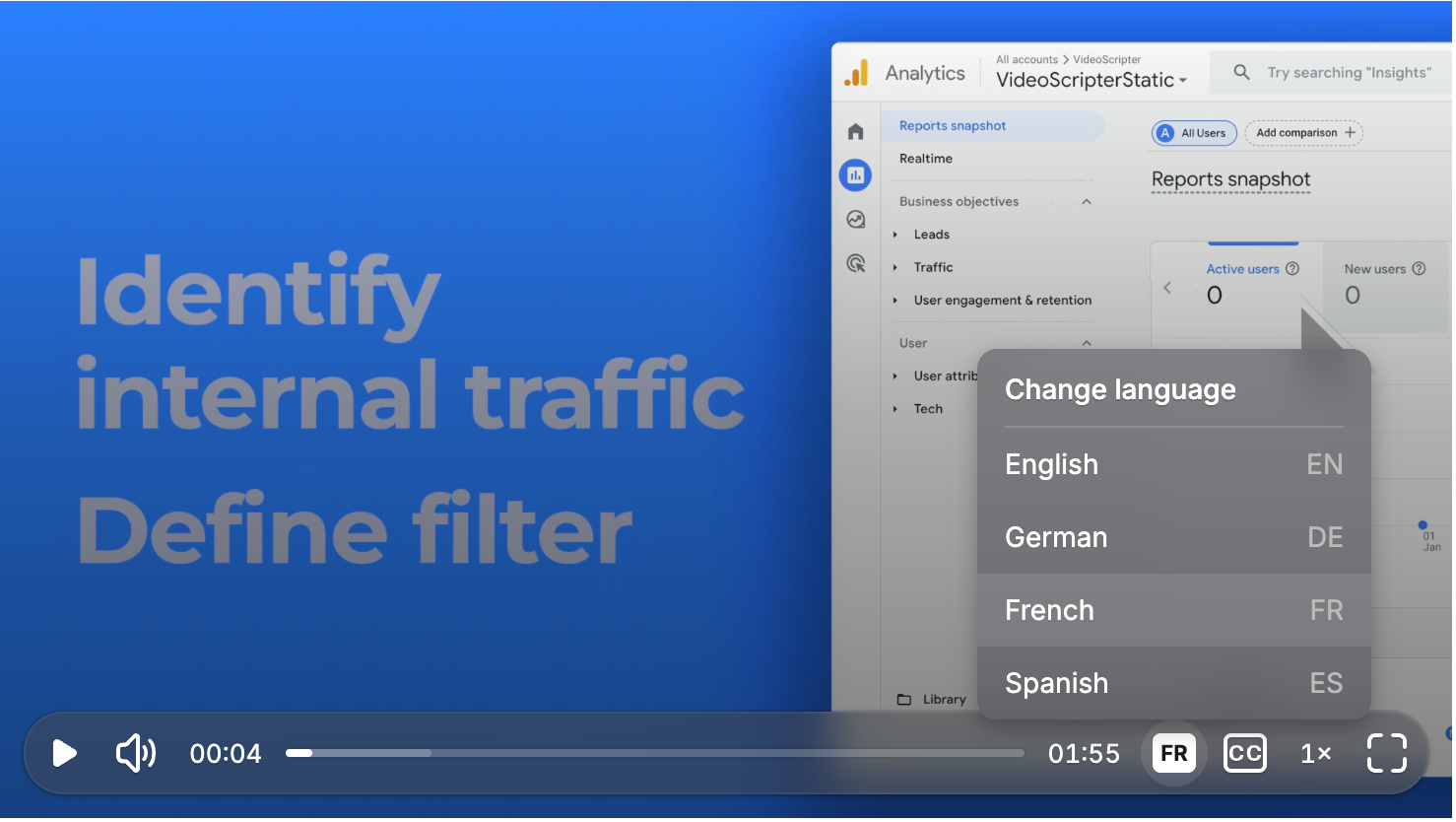
How it works
Section titled “How it works”- Create translations of your video using 1-Click Translation
- Copy the embed code — a single snippet that includes all language versions
- Paste anywhere — your website, help center, LMS, wiki, or any tool that accepts embeds
- Viewers choose their language from the selector in the player controls
The voiceover, captions, and video timing switch instantly when a viewer selects a different language.
Key benefits
Section titled “Key benefits”- One embed code for all languages — no managing separate players per locale
- Zero viewer friction — language selection happens inside the player, no redirects
- Always up to date — edit the source video, retranslate, and every embed updates automatically
- Works anywhere — any platform that accepts an iframe or embed code
Where to embed
Section titled “Where to embed”The multilingual player works in:
- Help centers and knowledge bases (Zendesk, Freshdesk, Intercom)
- Learning management systems (any LMS that supports embeds)
- Websites and landing pages
- Internal wikis (Confluence, Notion)
- CMS platforms (WordPress, Webflow, HubSpot)
Supported languages
Section titled “Supported languages”The player supports all 74 languages available through Tutorial AI’s translation feature. There’s no limit to how many languages you can include in a single player instance.
Next steps
Section titled “Next steps”- 1-Click Translation — Create the translations that power the player
- Supported Languages — See all available languages
- Embed Player — General embedding documentation