
Synthesia has popularized the concept of AI-generated avatar videos — type a script, choose an AI presenter, and get a video without cameras or studios. It's been widely adopted for training, onboarding, and internal communications where a talking-head format works well.
But as teams expand their video needs beyond avatar presentations — product tutorials from real screen recordings, multilingual documentation, polished demos with cursor effects — many find Synthesia's approach too rigid and expensive. In this guide, we compare the top alternatives across avatar-based video, screen recording, editing, and documentation to help you find the right fit.
Why Teams Look for Synthesia Alternatives
1. Avatar-Only Approach Feels Rigid
Synthesia is built entirely around AI avatars presenting scripts. For product tutorials, software demos, and technical walkthroughs, this format doesn't make sense — users need to see the actual product UI, not an avatar talking about it. Teams creating screen-recording-based tutorials need a fundamentally different approach.
2. Limited Avatar Selection and Customization
While Synthesia offers AI avatars, users report the selection feels limited and gestures can appear unnatural. Competitors like HeyGen and Colossyan offer more avatar variety and customization. For teams who want their videos to feel authentic, avatar limitations are a recurring pain point.
3. High Pricing for Limited Minutes
Synthesia's pricing scales with video minutes, and costs escalate quickly for teams producing content at scale. Many alternatives offer more generous free plans and lower per-minute costs, making them more practical for teams with ongoing video production needs.
4. No Screen Recording or Documentation
Synthesia doesn't record your screen — it's purely a text-to-avatar-video tool. There's no cursor effects, no zoom automation, and no documentation generation. For teams who need tutorials showing actual software workflows, Synthesia requires pairing with other tools.
5. No Per-Element Slide Animations
Synthesia's scenes animate as a single block — you can't independently control how a heading appears, when bullets reveal, or how a product shot moves while on screen. Tutorial AI's Slide Animations give you entrance, exit, motion (Pan), and timing per element, so you can stage a deck the way a designer would — useful for launches and marketing-grade output, not just internal training.
6. One-Shot Translations vs. Reviewable Workflow
Synthesia translates a video in a single step — what comes out is what you ship. Tutorial AI groups every translated copy into a Translation Folder as drafts. You can review each language's script, fix proper nouns or product terms, generate the video on your own schedule, and publish languages individually — or push them all live with one Republish all. Combined with the Multilingual Player, every published language appears in the same embed automatically.
Top Synthesia Alternatives Compared
1. Tutorial AI — Screen Recordings to Polished Tutorials
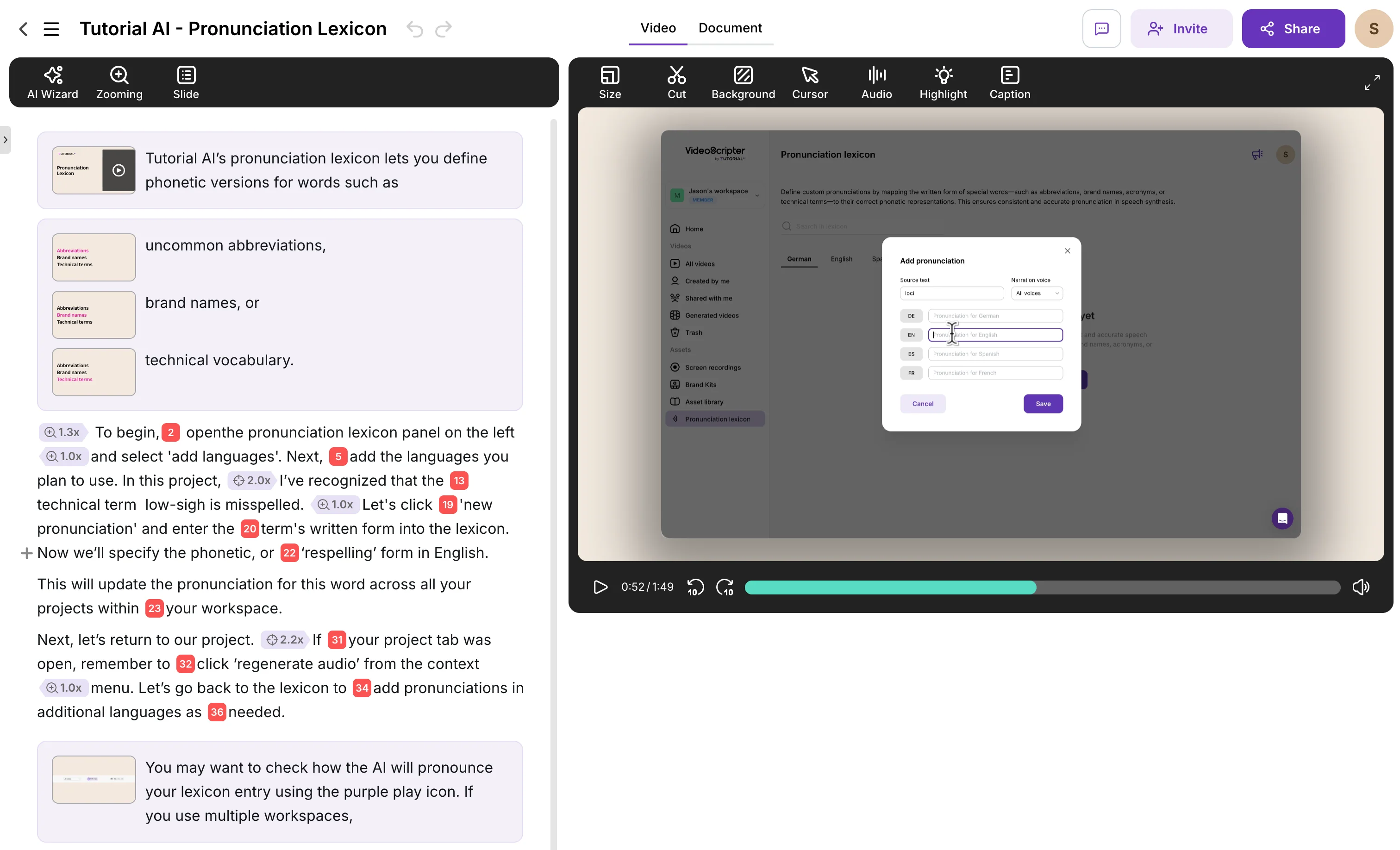
Tutorial AI takes the opposite approach from Synthesia: instead of AI avatars presenting scripts, it works with real screen recordings of your actual product. Record your screen silently, and AI generates studio-quality voiceover in 74 languages, applies cursor smoothing and click highlights, adds smart zoom effects, and produces polished output — all without video editing skills.
For product tutorials, help center content, and software training, real screen recordings feel more authentic than avatar presentations. Users see the actual UI they'll be working with, not a digital presenter talking about it. The text-based editing model lets you modify narration like a document — change a word and AI regenerates the voiceover. Ask AI can rewrite sections for tone, clarity, or formality.
A unique advantage: Tutorial AI generates both video tutorials and written step-by-step documentation from one recording. AutoRetime translations convert everything into 74 languages with automatic pacing adjustment. Brand kits keep output consistent across your team.
Key Features
- AI voiceover in 74 languages from text — no recording your voice
- Real screen recordings with auto cursor effects and smart zoom
- Text-based editing — edit narration like a Google Doc
- Dual output: video + written documentation from one recording
- AutoRetime translations — 1-click into 74 languages
- Brand kits, animated slides, blur sensitive data
Pricing
Free plan available. Paid plans from $29/month with unlimited recordings and AI features. Enterprise plans with brand kits and team management.
2. Synthesia vs HeyGen
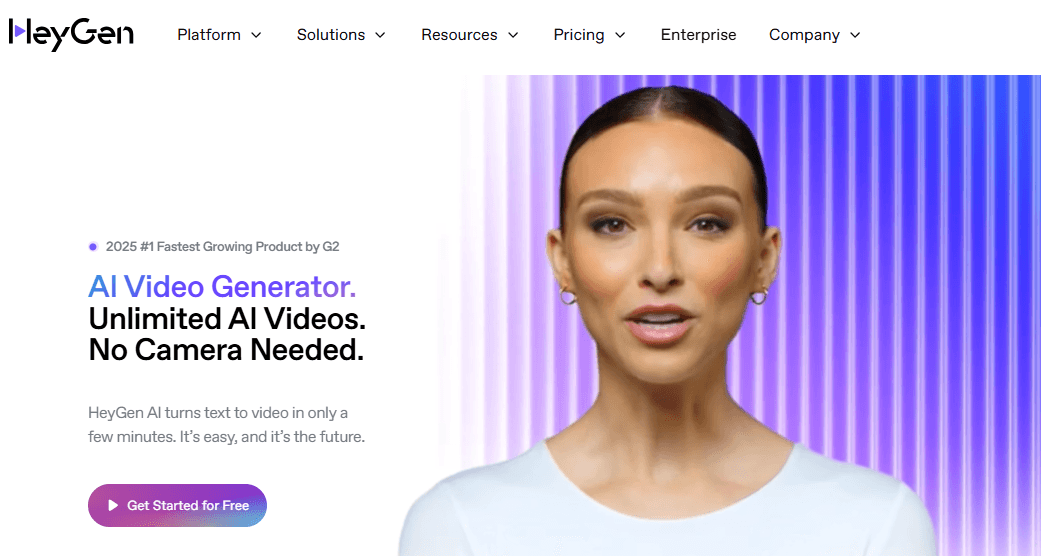
HeyGen is Synthesia's most direct competitor in the AI avatar video space. It offers 100+ pre-designed avatars with adjustable clothing, facial expressions, and gestures, plus the ability to create custom avatars from your own likeness. The text-to-speech engine supports 40+ languages with voice cloning, and multi-language lip-syncing makes translated videos look natural.
Compared to Synthesia, HeyGen offers more avatar customization, a more intuitive drag-and-drop interface, and competitive pricing (including a free tier). The multi-scene video creation and template library make it fast to produce marketing and training content. Integration with hundreds of platforms and SOC 2 Type 2 compliance make it enterprise-ready.
The limitations mirror Synthesia's: avatar gestures can still feel unnatural, templates may feel restrictive for advanced users, and pricing scales with features. There's no screen recording workflow, no cursor effects, and no documentation generation. For product tutorials showing real UI, HeyGen's avatar approach isn't ideal.
Pricing
Free plan (3 videos/month). Creator from $29/month. Team from $39/seat/month (minimum 2 seats). Enterprise pricing available.
3. Synthesia vs VEED.io
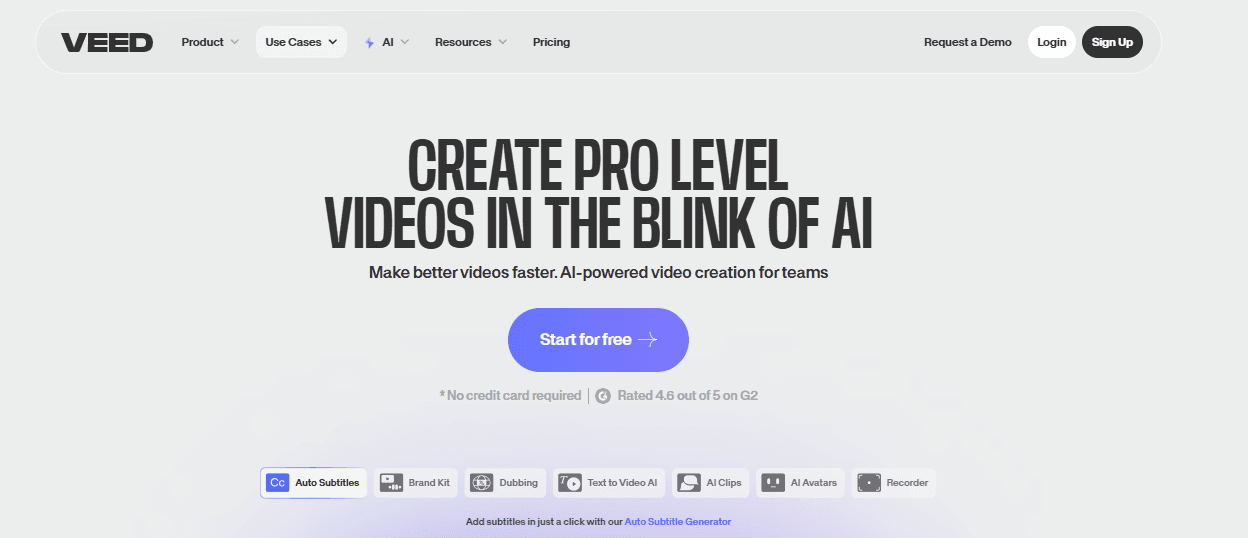
VEED.io is a cloud-based video editing platform that's more versatile than Synthesia. It combines in-browser video editing (trimming, cutting, transitions, overlays) with AI features like text-to-video, basic avatars, auto-subtitles, and voice cloning. The "Magic Cut" feature automatically removes silences and creates highlights — useful for cleaning up raw recordings.
VEED's strength is its breadth: screen recording, webcam capture, social media formatting, subtitle translation, and a library of 2 million royalty-free assets. It's popular with content creators and social media teams who need quick, polished output without professional editing software. Real-time collaboration features make it useful for remote teams.
However, VEED is a general-purpose video editor, not a tutorial production tool. There are no cursor effects, no auto-zoom on interactions, no documentation generation, and no text-based narration editing. Users report glitches with large files and slower AI performance compared to specialized tools.
Pricing
Free plan available. Lite from ~$12/month (annual). Pro from ~$24/month (annual). Enterprise pricing available.
4. Synthesia vs Camtasia
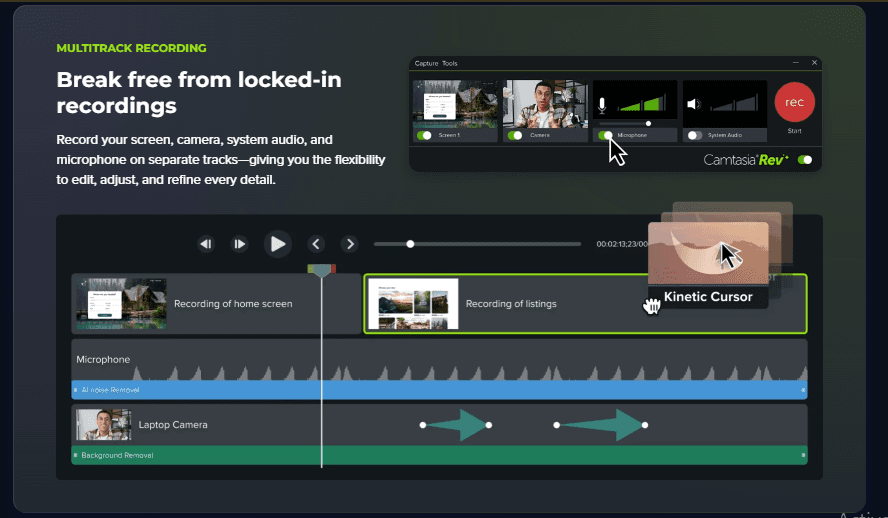
Camtasia is the traditional alternative for teams who need screen-recording-based tutorials rather than avatar presentations. It captures your screen in up to 4K at 60fps, combines webcam and audio recording, and offers a full multi-track timeline editor with 150+ transitions, annotations, and interactive elements like quizzes and clickable links.
Where Synthesia requires no editing skills (you type a script and get a video), Camtasia requires significant editing expertise. A 5-minute tutorial can take 2-3 hours to produce. There's no AI voiceover — you must record your own narration. No translation capabilities, no automatic cursor smoothing, and no documentation generation.
Camtasia offers the most creative control of any tool in this comparison, but the time investment is the highest. For teams who need Camtasia-level quality without the learning curve, Tutorial AI automates the production steps that make Camtasia slow.
Pricing
Annual plans from ~$90/year (Essentials) to ~$240/year (Pro). No free plan — trial only. Desktop-only, no browser version.
5. Synthesia vs Colossyan
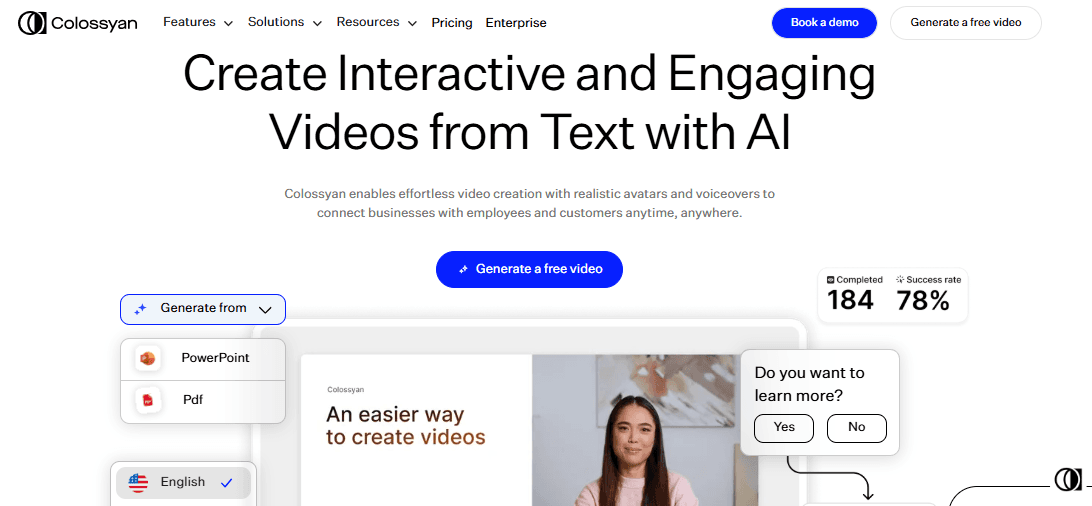
Colossyan is another AI avatar platform competing directly with Synthesia, with a focus on training, onboarding, and internal communications. It offers 150+ avatars — more than Synthesia — with custom avatar and voice creation, 70+ language support, and the ability to convert text, documents, or presentations into narrated avatar videos.
Colossyan differentiates through interactive elements: quizzes, clickable areas, and avatar conversations make it strong for learning and compliance content. Brand kits, team collaboration spaces, and engagement tracking add enterprise value. The pricing is competitive, starting at $19/month — significantly less than Synthesia for similar capabilities.
The limitations are typical of avatar-based tools: no screen recording, no cursor effects, no documentation generation, and avatars can lack emotional expressiveness. Users note it's better suited for internal training than public marketing, and complex animations are beyond its capabilities. Translation quality varies, and minor tone issues have been reported.
Pricing
Starter from $19/month (1 editor, annual). Business from $70-140/month depending on editors. Enterprise pricing available. No free plan.
Feature Comparison Table
Here's how the top Synthesia alternatives compare across the features that matter most for AI video creation:
| Feature | Tutorial AI | HeyGen | VEED.io | Camtasia | Colossyan |
|---|---|---|---|---|---|
| Video creation method | Screen recording → AI-polished video + docs | Text-to-video with avatars | In-browser editing & text-to-video | Manual recording & timeline editing | Text/documents to avatar video |
| AI voiceover | 74 languages, studio quality | 40+ languages + voice cloning | Text-to-speech + cloning | Manual or basic AI | 70+ languages |
| AI avatars | No — real screen recordings | 100+ customizable | Basic avatars | None | 150+ customizable |
| Screen recording | Yes — core workflow | Limited | Yes | Yes — core workflow | No |
| Cursor effects & zoom | Auto-smooth, auto-zoom, highlights | None | None | Manual keyframe | None |
| Documentation output | Auto-generated written guides | None | None | None | None |
| Text-based editing | Yes — edit narration like a doc | Script editor | Timeline + text | Multi-track timeline | Script editor |
| Translation workflow | 1-click into 74 languages → drafts grouped in a Translation Folder → review, generate, publish per language | 40+ with lip-sync | Dubbing & subtitles | None | 70+ languages |
| Multilingual embed player | One embed, all languages, in-player language switcher | Separate export per language | Separate export per language | Separate export per language | Separate export per language |
| Per-element slide animations | Yes — entrance, exit, motion (Pan), and timing per element | None — avatar-driven | Basic object animation | Manual keyframe | None — avatar-driven |
| Best for | Product tutorials & help content | Marketing & sales videos | Social media & content creation | Professional tutorial editing | Training & onboarding |
| Pricing | Free plan, from $29/mo | Free plan, from $29/mo | Free plan, from ~$12/mo | From ~$90/year | From $19/mo |
Frequently Asked Questions
I don't have editing or scripting skills. Can I still create professional videos?
Yes — several tools are designed for non-editors. Tutorial AI lets you record your screen silently, then AI generates the script, voiceover, and visual effects automatically. HeyGen and Colossyan convert text scripts into avatar-led videos. VEED.io offers a beginner-friendly browser editor. Only Camtasia requires traditional video editing skills with its timeline-based workflow.
AI avatars don't look natural. Are there alternatives that use real screen content instead?
Synthesia, HeyGen, and Colossyan all rely on AI avatars, which can feel artificial for product tutorials. Tutorial AI and Camtasia take a different approach — they work with actual screen recordings of your product, which feels more authentic for software tutorials and demos. Tutorial AI adds AI voiceover and visual polish to real recordings. VEED.io offers both approaches.
Can I create both video tutorials and written documentation from one recording?
Tutorial AI is the only tool in this comparison that generates both a polished video tutorial and written step-by-step documentation from a single screen recording. All other alternatives — Synthesia, HeyGen, VEED.io, Camtasia, Colossyan — produce video only. If you need both formats, the alternatives require separate tools for documentation.
Can I create videos in multiple languages without hiring translators?
Several tools offer AI-powered multilingual support. Tutorial AI translates voiceover, captions, and timing into 74 languages with one click. HeyGen offers 40+ languages with lip-syncing. Colossyan supports 70+ languages. VEED.io has dubbing and subtitle translation. Camtasia has no built-in translation. The quality and naturalness vary — avatar-based tools handle lip-sync, while Tutorial AI's AutoRetime adjusts video pacing to match each language.
My product keeps changing. Do I have to remake the video every time?
With avatar-based tools like Synthesia, HeyGen, and Colossyan, you update the script and regenerate — the avatar re-narrates. With Tutorial AI, you edit the text narration and AI regenerates the voiceover, keeping the screen recording intact for minor changes. Camtasia requires re-editing on the timeline. For major UI changes, most tools require some form of re-recording, but Tutorial AI's text-based editing makes updates fastest for narration changes.
Which Synthesia alternative is most cost-effective?
Colossyan starts at $19/month, making it the cheapest avatar-based option. Tutorial AI and HeyGen both offer free plans and start at $29/month. VEED.io's lite plan starts around $12/month but is more limited. Camtasia is a one-time purchase (~$90-240/year). Synthesia itself is among the most expensive at $29+/month with limited minutes. The right value depends on your use case — avatar videos (HeyGen/Colossyan) vs. screen recording tutorials (Tutorial AI/Camtasia).