
Camtasia has been the go-to screen recording and video editing software for over two decades. It offers a powerful multi-track timeline, a wide library of effects and transitions, and the ability to produce highly polished output. For professionals who know their way around a timeline editor, it remains a capable tool.
But the landscape has shifted. AI-powered tools can now handle voiceover generation, cursor smoothing, auto-zoom, and even documentation — tasks that used to require hours of manual editing in Camtasia. Whether you're a product marketer, educator, support team, or L&D professional, there are now faster paths to the same (or better) output. In this guide, we break down the best Camtasia alternatives and help you find the right fit for your workflow.
Why Teams Look for Camtasia Alternatives
1. Steep Learning Curve
Camtasia's multi-track timeline is powerful but intimidating for non-editors. Dragging clips, syncing audio tracks, adjusting keyframes for zoom effects, and managing layers all require skills that most content creators, product managers, and support engineers don't have. The gap between "record my screen" and "publish a polished tutorial" is measured in hours of editing, not minutes.
2. Time Per Video
A 5-minute tutorial in Camtasia typically takes 2-3 hours to produce. Manually adding zoom effects to each click, smoothing cursor movements frame by frame, recording and re-recording voiceover until it sounds right, then syncing everything on the timeline — the production overhead is significant. For teams maintaining large tutorial libraries, this doesn't scale.
3. No AI-Powered Features
Camtasia has no AI voiceover generation, no automatic script creation, no cursor smoothing, and no auto-zoom. Every effect and enhancement must be manually applied. In 2026, teams expect their tools to automate the repetitive parts of video production — and Camtasia hasn't kept pace with this shift.
4. No Multilingual or Documentation Features
Camtasia produces video only — no written documentation output. It also has no built-in translation capabilities. For global teams who need tutorials in multiple languages or want to generate help articles alongside video, Camtasia requires pairing with other tools, adding complexity and cost.
Top Camtasia Alternatives Compared
1. Tutorial AI — AI-Powered Tutorial Production
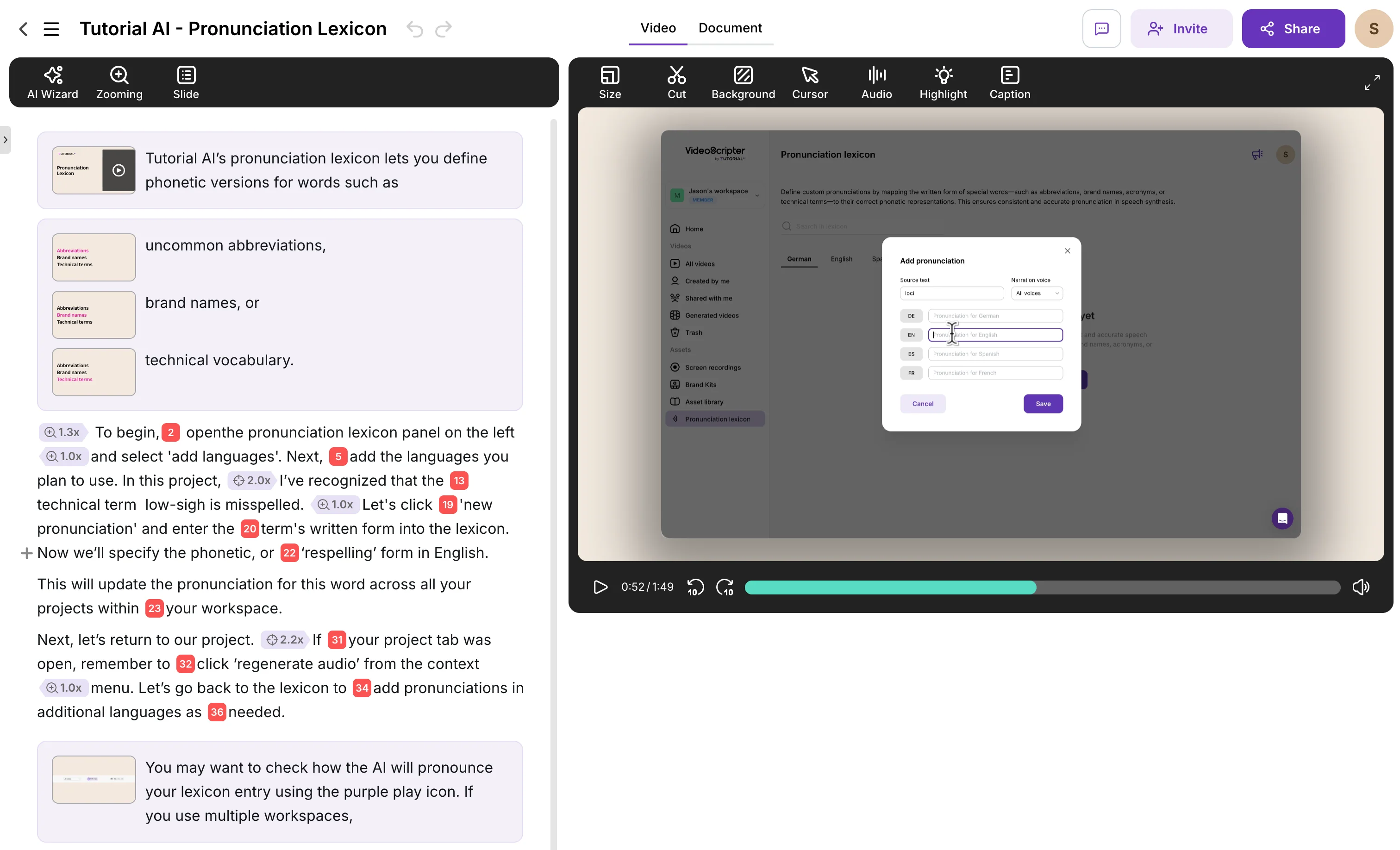
Tutorial AI is an AI-powered platform designed specifically for creating professional product tutorials, training videos, and help center content. It's one of the strongest Camtasia alternatives for teams who want polished output without learning a video editor.
The core difference: instead of a timeline, you work with a text-based editor. Record your screen silently, and AI generates a script that you can edit like a Google Doc. AI voiceover in 74 languages is generated from that text. Cursor smoothing, auto-zoom, click highlights, and captions are applied automatically.
Key Features
- AI Voiceover Generation — 74 languages, studio-quality voices
- Text-Based Video Editing — edit narration like a document, not a timeline
- Automatic Cursor Effects — smoothing, resizing, click highlights
- Smart Auto-Zoom — AI detects key interactions and zooms in
- AutoRetime Translations — 1-click translation with automatic timing adjustment
- Documentation Generation — written guides auto-generated from your recording
- Brand Kits — consistent logos, colors, fonts across all videos
- Ask AI — rewrite, polish, and restructure scripts with AI assistance
Advantages
- No video editing skills required — the interface is a text editor
- 5-minute tutorial produced in ~10 minutes (vs 2-3 hours in Camtasia)
- Dual output: video tutorial + written documentation from one recording
- Update tutorials by editing text, not re-recording
- Global reach with 74 language translations from a single recording
Pricing
Free plan available. Paid plans from $29/month with unlimited recordings and AI features. Enterprise plans with brand kits and team management.
2. Camtasia vs Descript
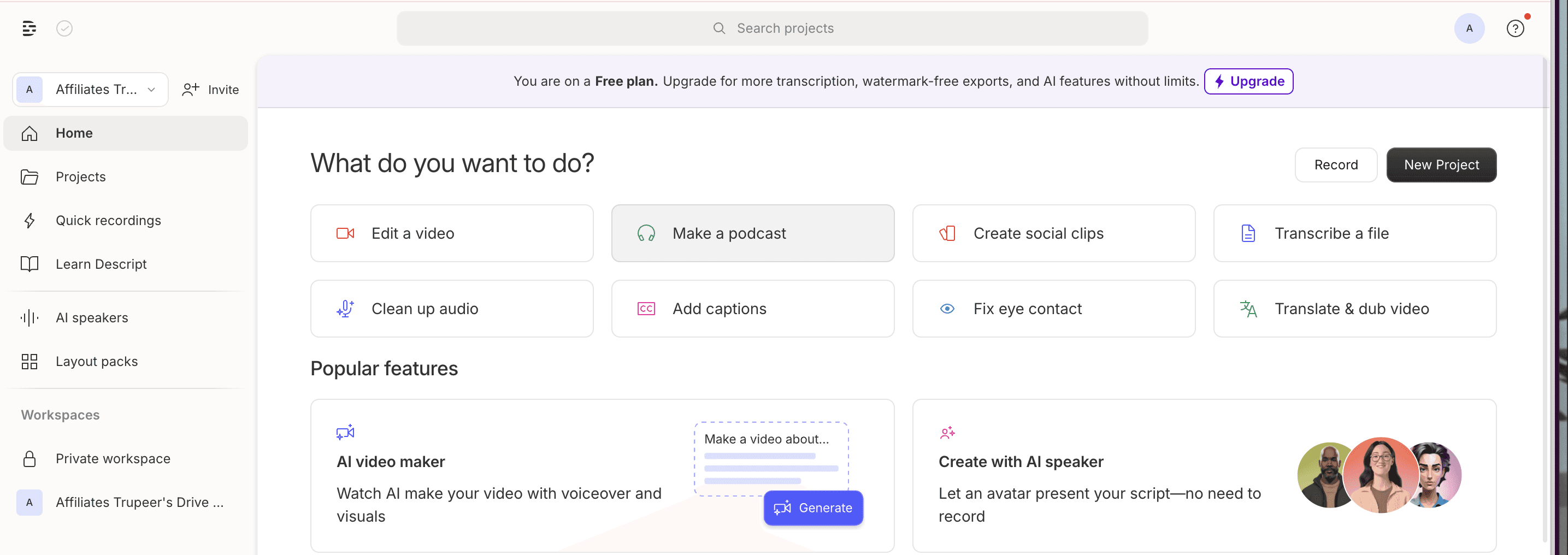
Descript is a video and audio editor that pioneered text-based editing for video. You record your screen and webcam, Descript transcribes the audio, and you edit the video by editing the transcript text. Delete a sentence from the transcript and the corresponding video segment is removed. It's an intuitive approach that resonated with content creators, podcasters, and marketing teams.
Descript also offers Overdub — a voice cloning feature that lets you generate new audio in your own voice by typing text. Combined with automatic filler word removal and multitrack editing, it's a capable production tool that's far more approachable than Camtasia's timeline.
Key Features
- Text-based video editing via automatic transcription
- Overdub voice cloning for AI-generated narration in your voice
- Automatic filler word removal
- Multitrack editing with screen and webcam recording
- Real-time collaboration
Advantages
- Text-based editing is far more intuitive than Camtasia's timeline
- Voice cloning is a unique feature for personalized narration
- Good for podcast and content creation workflows
- Collaboration features for team editing
Disadvantages
- No auto-zoom or cursor effects — these must be done manually or not at all
- No built-in translation or multilingual voiceover
- Export quality issues reported by users — compression artifacts
- Stability concerns — crashes and inconsistent AI features
- No documentation generation
Pricing
Free plan available. Hobbyist from $16/month, Creator from $24/month, Business from $50/month.
3. Camtasia vs Loom
Loom is the opposite of Camtasia in almost every way. Where Camtasia is slow and powerful, Loom is fast and simple. One click to record your screen and camera, instant upload, shareable link. For quick internal messages — standups, bug reports, feedback — Loom is unbeatable for speed.
But Loom isn't a Camtasia replacement in terms of output quality. You can't add zoom effects, smooth cursors, blur sensitive data, insert slides, or generate captions beyond basic transcription. Editing is limited to trimming. If you're looking for Camtasia-level quality in a faster package, Loom isn't the answer — though it's worth using alongside a production tool for different use cases.
Advantages
- Fastest record-to-share workflow available
- Excellent integrations (Slack, Jira, Figma, Notion, 100+)
- AI summaries and Jira ticket generation
- Works on desktop, browser, and mobile
Disadvantages
- No post-production editing beyond trimming
- No AI voiceover, cursor effects, or zoom
- Can't blur sensitive information
- No translation for voiceover
- Free plan limited to 25 videos at 5 minutes each
Pricing
Free plan (25 videos, 5-minute limit). Business from $15/user/month. Enterprise pricing available.
4. Camtasia vs Vyond
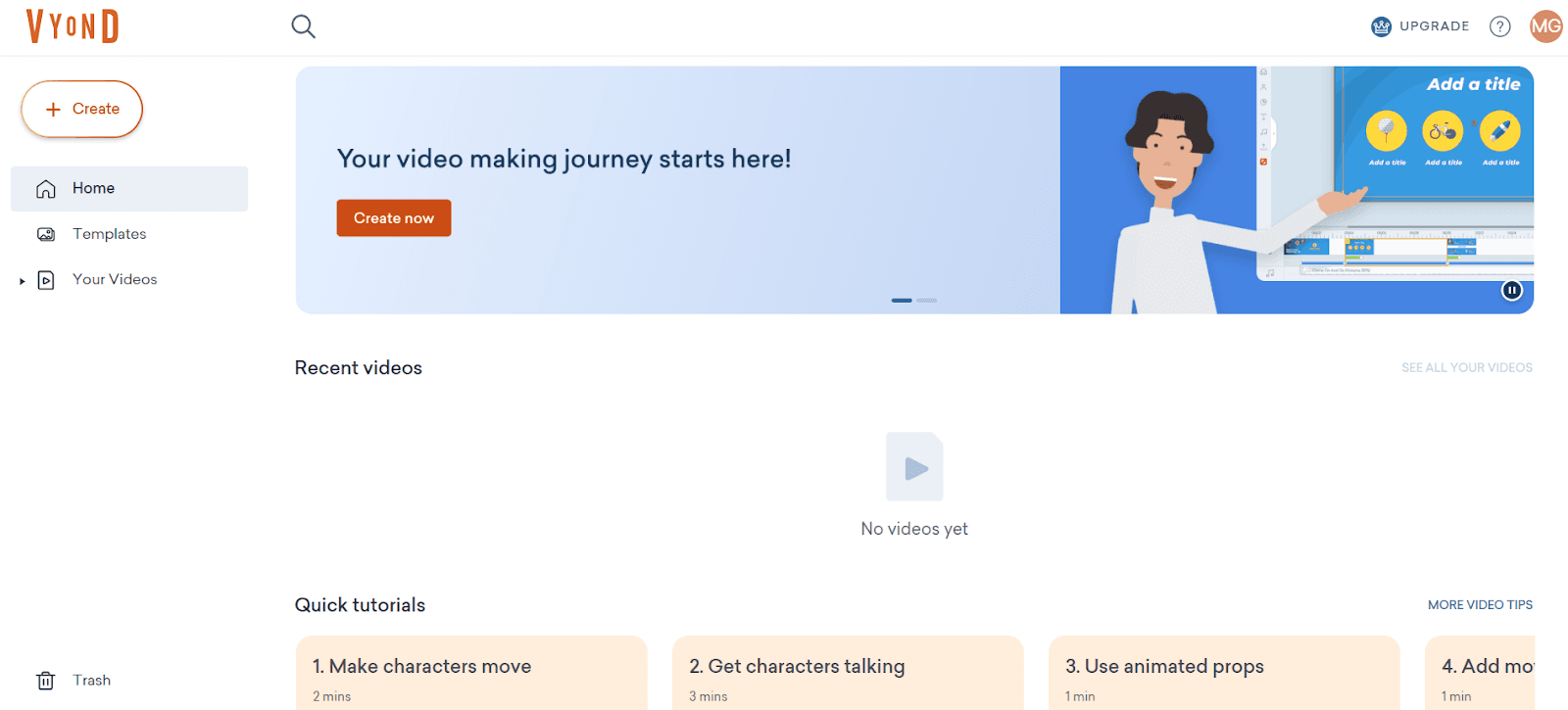
Vyond is an animated video creation platform with a built-in screen recording feature. It's primarily known for its extensive animation library, custom character creator, and AI-powered avatars. Teams use Vyond to create training videos, explainers, and marketing content with animated characters and scenes rather than raw screen recordings.
As a Camtasia alternative, Vyond takes a fundamentally different approach — it's built around animation, not screen recording polish. If your tutorials need custom characters, cartoon-style explanations, or animated storytelling, Vyond has capabilities neither Camtasia nor Tutorial AI offer. However, for software product tutorials based on actual screen recordings, Vyond's screen capture is limited (4-minute max) and the editing workflow is focused on animation timelines rather than text-based narration editing.
Advantages
- Rich animation library with custom character creation
- AI-powered avatars and voiceovers for animated content
- Strong brand customization tools for consistent visual style
- Good for concept-based training that doesn't need screen recordings
Disadvantages
- Screen recording limited to 4 minutes — not built for software tutorials
- Significantly more expensive than other alternatives ($58-167/month)
- Steep learning curve for advanced animation features
- No cursor effects, auto-zoom, or text-based editing
- No documentation generation or multilingual translation
- Cloud-only — no offline functionality
Pricing
Free trial available. Starter from $58/month, Professional from $100/user/month, Enterprise from $137/user/month. Significantly more expensive than most alternatives.
5. Camtasia vs Vidyard
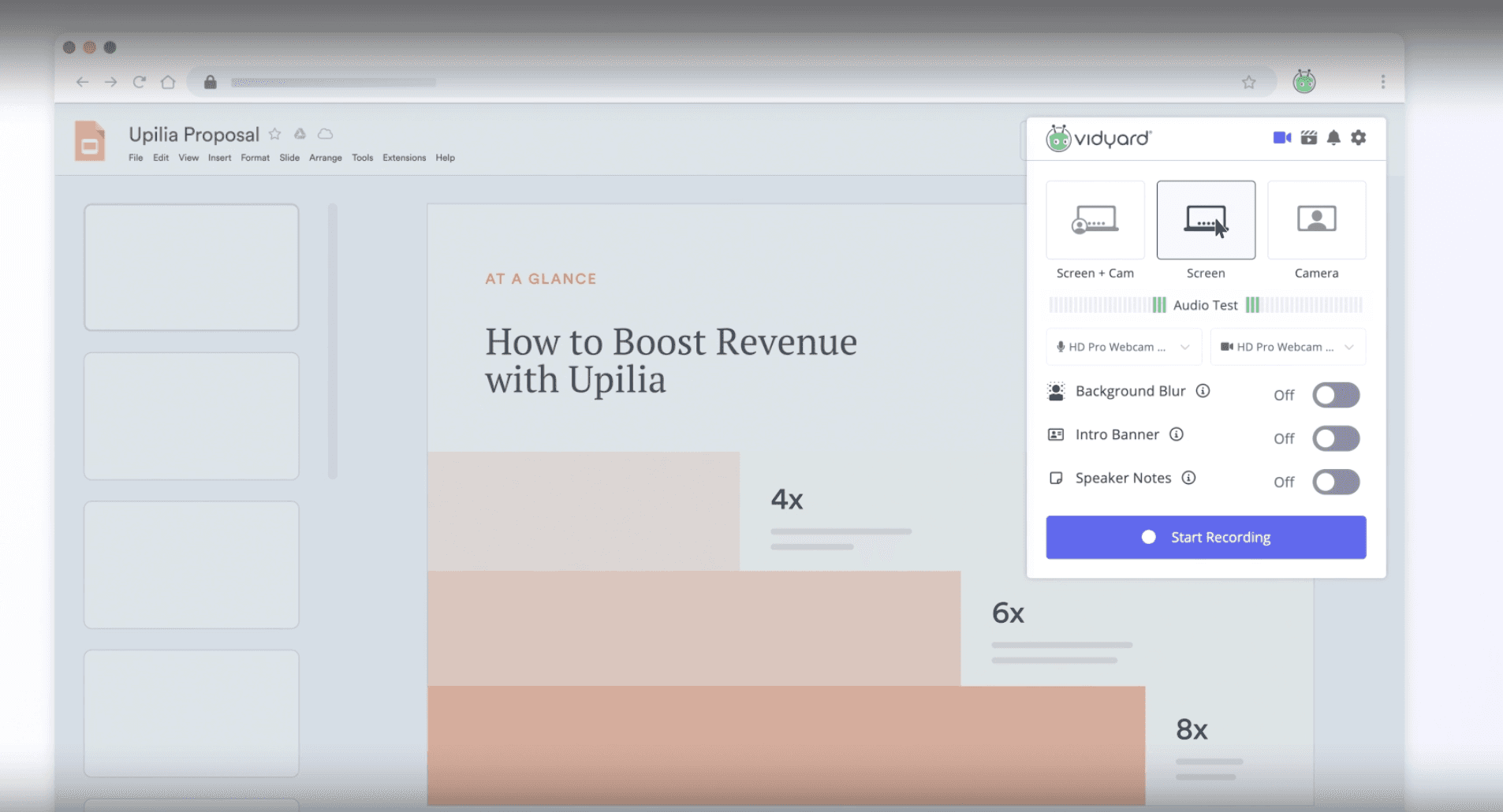
Vidyard is a video platform built for sales and marketing teams. Its strength isn't editing — it's analytics. Vidyard tracks who watched your video, how far they got, and integrates this data with CRMs like Salesforce and HubSpot. For sales reps creating personalized outreach, the data layer justifies the tool.
As a Camtasia alternative, Vidyard falls short on production capabilities. Recording and editing are basic — similar to Loom. There's no timeline editor, no AI voiceover, no cursor effects, and no zoom automation. If your goal is polished product tutorials, Vidyard isn't the right replacement. But if your primary need is sales video with analytics, it's worth evaluating alongside a production tool like Tutorial AI or Camtasia.
Pricing
Free plan available. Business pricing on request. Enterprise plans with advanced analytics and CRM integration.
Feature Comparison Table
Here's how the top Camtasia alternatives compare across the features that matter most for tutorial creation:
| Feature | Tutorial AI | Camtasia | Descript | Vyond | Loom |
|---|---|---|---|---|---|
| AI voiceover | 74 languages, studio quality | Not available | Voice cloning (Overdub) | AI avatars & TTS | Not available |
| Editing approach | Text-based (like Google Docs) | Multi-track timeline | Text-based transcript | Animation timeline | Trim only |
| Cursor effects | Auto-smooth, enlarge, click highlights | Manual effects on timeline | None | None | None |
| Auto-zoom | AI-detected key interactions | Manual keyframe zoom | None | None | None |
| Translation | 1-click, 74 languages with AutoRetime | None | None | None | Captions only |
| Documentation output | Auto-generated written guides | None | None | None | None |
| Animation / characters | Animated slides | Basic transitions | None | Full animation suite | None |
| Brand kits | Yes — logos, fonts, colors | Templates only | Limited | Yes | None |
| Time to produce 5-min tutorial | ~10 minutes | 2-3 hours | 30-60 minutes | 1-2 hours | ~5 minutes (no editing) |
| Pricing | Free plan, from $29/mo | ~$300 one-time | Free plan, from $24/mo | From $58/mo | Free plan, from $15/mo |
Frequently Asked Questions
Why do teams look for Camtasia alternatives?
The most common reasons are the steep learning curve, the time investment per video (often 2-3 hours for a 5-minute tutorial), and the lack of AI-powered features. Teams producing tutorials at scale need tools that can generate voiceover, smooth cursors, and translate content automatically — capabilities Camtasia doesn't offer. The one-time price tag of $300+ is also a barrier for teams that want to evaluate before committing.
What is the best free Camtasia alternative?
For beginners, Tutorial AI and Loom both offer free plans. Loom's free plan lets you record and share quickly but has a 5-minute limit and no editing beyond trimming. Tutorial AI's free plan includes AI voiceover, text-based editing, and cursor effects — closer to what Camtasia offers in terms of output quality, without the learning curve. Descript also has a free tier with text-based editing, though its AI features are more limited on free plans.
Can Descript replace Camtasia for tutorials?
Descript is a strong option if you value text-based editing and voice cloning. You can edit video by editing a transcript, which is far more intuitive than Camtasia's timeline. However, Descript lacks auto-zoom, cursor effects, and multilingual translation — features that matter for professional product tutorials. It's better suited for podcast and content creators than for software tutorial teams.
Is Loom a good alternative to Camtasia?
For different use cases, yes. Loom is excellent for quick, informal screen recordings shared internally — standups, bug reports, feedback. But it doesn't compete with Camtasia on editing or production quality. You can't add zoom effects, smooth cursors, blur sensitive data, or edit narration after recording. If you need Camtasia-level quality without the complexity, Tutorial AI or Descript are closer fits.
Which Camtasia alternative is best for multilingual teams?
Tutorial AI is the strongest option here. Its AutoRetime feature translates voiceover, captions, and video timing into 74 languages from a single recording — the video pacing adapts automatically. Camtasia, Descript, and Loom have no built-in translation for voiceover. For teams serving global audiences, this is often the deciding factor.
What's the fastest way to create a professional tutorial video?
Record your screen silently and let AI handle the rest. Tutorial AI generates voiceover from text, auto-applies cursor smoothing and zoom effects, and produces a polished video in minutes. Camtasia produces great results but requires manual editing on a timeline. Loom is the fastest to record but offers no post-production polish. The right balance of speed and quality depends on whether your videos are internal or customer-facing.