
Guidde is a documentation tool that creates visual step-by-step guides from screen recordings. It's been popular with support and onboarding teams who need to capture workflows quickly. But as teams' needs grow — more complex processes, video output, multilingual support, better editing — many find Guidde's limitations push them to evaluate alternatives.
In this guide, we compare the top Guidde alternatives across documentation, video creation, AI features, and team collaboration. Whether you need richer written guides, full video tutorials, or a platform that produces both, this comparison will help you find the right fit.
Why Teams Look for Guidde Alternatives
1. Limited Integration Options
Guidde's free and lower-tier plans restrict integrations, forcing teams into more expensive plans just to connect with their existing knowledge base, CMS, or LMS. For teams already using tools like Confluence, Notion, or SharePoint, this creates friction.
2. Step and Complexity Limits
Guidde caps workflows at approximately 100 steps. For complex enterprise processes — multi-screen workflows, branching paths, or detailed technical procedures — this ceiling becomes a real constraint. Teams documenting sophisticated software often need more flexibility.
3. Basic Editing Capabilities
Guidde's editing tools are minimal. There's no cropping, no zoom effects, and limited ability to refine output after capture. For teams who need polished, customer-facing content rather than quick internal guides, this quality gap matters.
4. No Video Tutorial Output
Guidde produces visual guides — annotated screenshots with text — but not video tutorials with voiceover. As video becomes the preferred format for help centers, onboarding, and training, teams increasingly need tools that produce both written docs and polished video from the same workflow capture.
Top Guidde Alternatives Compared
1. Tutorial AI — Video Tutorials + Documentation from One Recording
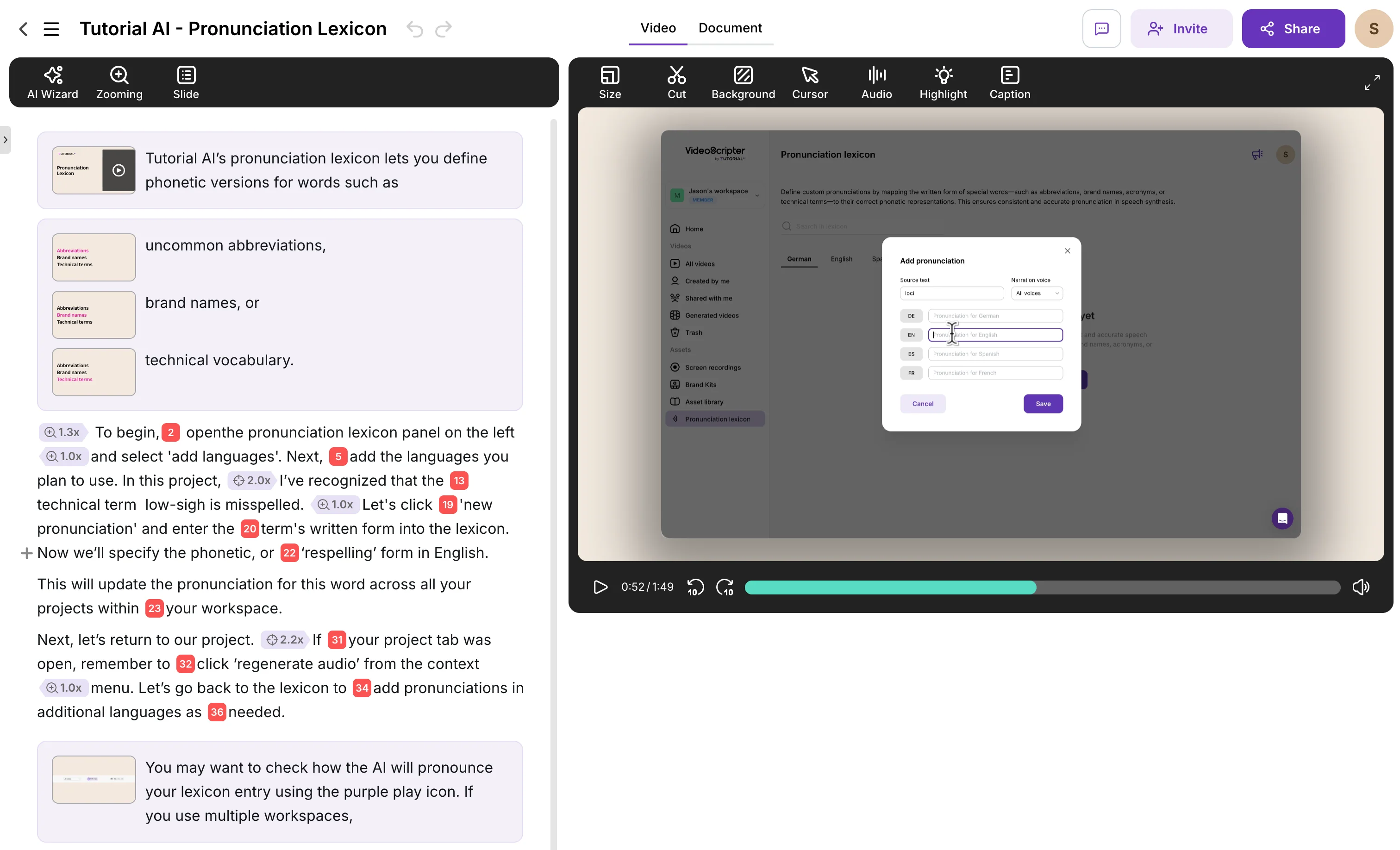
Tutorial AI addresses Guidde's biggest limitation head-on: it produces both polished video tutorials and written step-by-step documentation from a single screen recording. Where Guidde gives you annotated screenshots, Tutorial AI gives you a professional video with AI voiceover in 74 languages, smooth cursor effects, automatic zoom, and captions — plus the written guide alongside it.
The editing model is text-based: you edit narration like a document, not on a video timeline. Ask AI can rewrite, restructure, or adjust the tone of your script. When your product updates, you edit the text and regenerate — no re-recording needed.
Key Features
- AI Voiceover in 74 languages with studio-quality voices
- Text-based video editing — edit narration like a Google Doc
- Cursor smoothing, click highlights, and auto-zoom
- Auto-generated documentation with AI-selected screenshots
- AutoRetime translations — 1-click into 74 languages
- Brand kits for consistent logos, colors, and fonts
- AI transcription and animated chapter slides
Advantages over Guidde
- Dual output: video tutorial + written documentation from one recording
- AI voiceover eliminates the need to narrate live
- Post-production effects (zoom, cursor, blur) applied automatically
- No step limits — handle complex workflows of any length
- Update tutorials by editing text, not re-recording
- 74 language translations from a single recording
Pricing
Free plan available. Paid plans from $29/month with unlimited recordings and AI features. Enterprise plans with brand kits and team management.
2. Guidde vs Scribe
Scribe is Guidde's most direct competitor. Both tools capture on-screen actions and generate written step-by-step guides with annotated screenshots. Scribe's Chrome extension and desktop app detect clicks, form entries, and navigation, then produce guides that can be customized, branded, and shared via links or embeds.
Scribe improves on Guidde in several areas: more flexible editing of captured steps, better version control for keeping documentation current, and collaborative commenting features. The free plan is more generous than Guidde's, and the enterprise tier includes advanced security and data governance — important for regulated industries.
Like Guidde, Scribe produces written guides only — no video output. If your team needs video tutorials alongside documentation, you'll need to pair Scribe with a recording tool like Tutorial AI or Loom. Scribe also has no translation features and can struggle with non-visual, conceptual processes.
Pricing
Free plan available. Pro Personal from $23/seat/month. Pro Team from $12/seat/month (minimum 5 seats). Enterprise pricing available. 20% savings with annual billing.
3. Guidde vs Zight
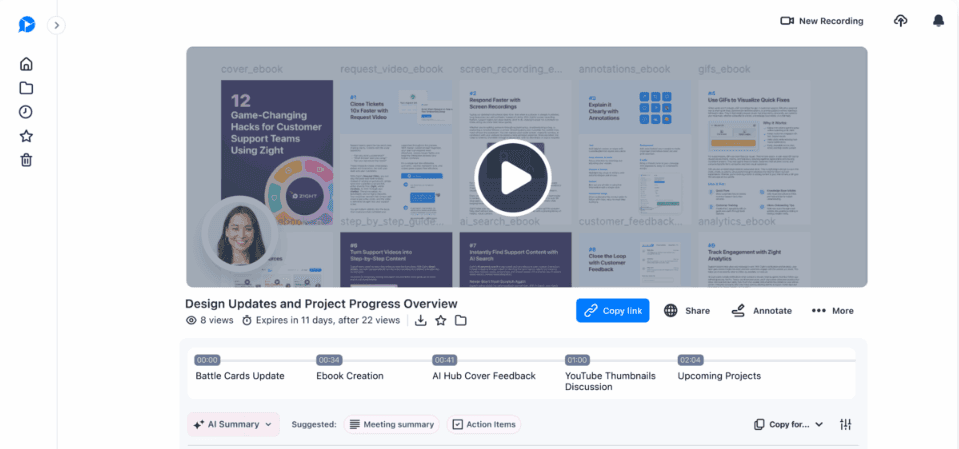
Zight (formerly CloudApp) is an all-in-one visual communication platform. It combines screenshot capture, screen recording, GIF creation, and image annotation in a single tool. Unlike Guidde's focus on step-by-step guides, Zight is broader — it's designed for any visual communication need, from bug reports to quick demos.
Zight's AI features include auto-generated guides, titles, summaries, and transcriptions in 50+ languages — more AI capability than Guidde offers. The recording features include HD video and webcam capture with basic editing (trim, cut, merge). Custom branding, cloud storage, and analytics round out the feature set.
The trade-off is depth vs breadth. Zight does many things but isn't specialized for polished tutorials. There's no AI voiceover generation, no cursor smoothing, no auto-zoom, and no text-based editing. Users report lag with large files and a learning curve for advanced features.
Pricing
Free plan available. Pro from $9/month (annual). Team from $11/user/month (annual). Enterprise pricing available.
4. Guidde vs Loom
Loom approaches the problem from the opposite direction. Where Guidde creates written documentation from screen actions, Loom creates video messages from screen recordings. It's the fastest path from "I need to explain something" to a shareable video link. For async communication — standups, bug reports, quick tutorials — Loom's simplicity is its greatest strength.
Loom has added AI features including automatic titles, chapters, summaries, and even SOP generation from recordings. The integration ecosystem is excellent — Slack, Jira, GitHub, Gmail, Salesforce, Confluence, and many more. Viewer engagement features (comments, emoji reactions, analytics) make it useful for team communication.
However, Loom's editing is limited to basic trimming. There's no cursor effects, no zoom, no AI voiceover, and no structured documentation output. If you need Guidde-style step-by-step guides, Loom doesn't produce them. For polished, customer-facing content, the basic recording quality may not meet the bar.
Pricing
Free plan (25 videos, 5-minute limit). Business from $15/user/month. Business + AI from $20/user/month. Enterprise pricing available.
5. Guidde vs Trainual
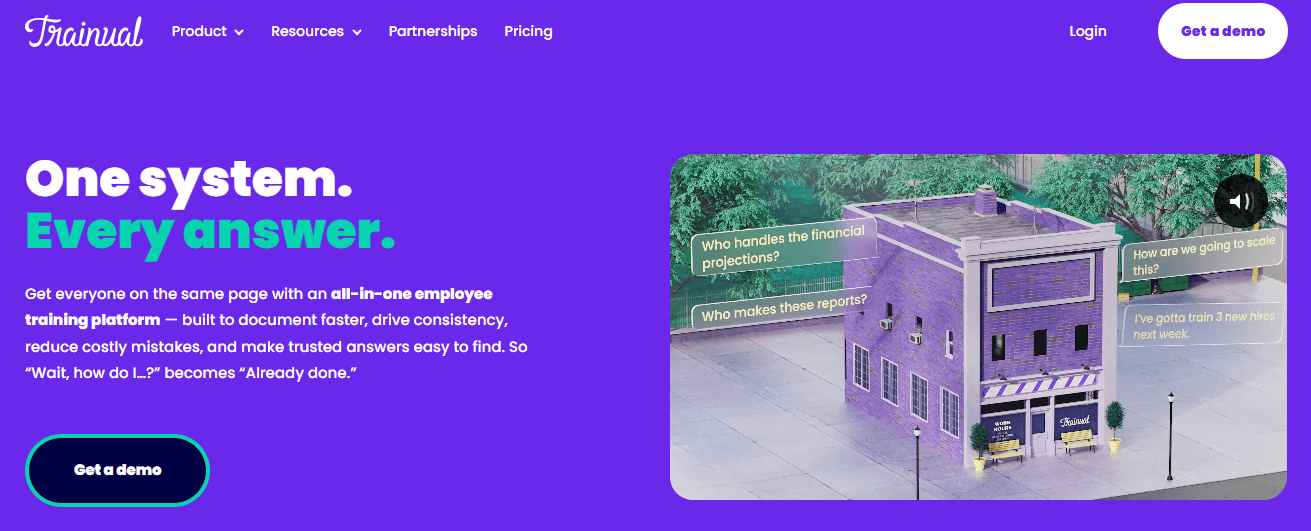
Trainual is a different category of tool — it's an employee training and onboarding platform, not a screen recording or documentation tool. It organizes your company's processes, policies, and training materials in a centralized, searchable knowledge base. Employees are assigned training modules, complete quizzes, and their progress is tracked automatically.
Trainual supports embedding videos (from Loom, YouTube, or other sources), images, PDFs, and 700+ other embed types. But it doesn't create video or documentation from screen recordings — you build content manually using a drag-and-drop editor with templates. The value is in the organization, assignment, and tracking layer, not in content creation.
For teams whose primary need is structured onboarding and compliance training, Trainual's built-in quizzes, progress tracking, and role-based assignments offer capabilities that pure documentation tools don't. However, the pricing is significantly higher ($249+/month) and you'll still need a content creation tool like Tutorial AI or Scribe to produce the actual tutorials and guides that live inside Trainual.
Pricing
Small plan from $249/month (billed yearly). Medium from $279/month. Growth from $419/month. Custom enterprise pricing available. Significantly more expensive than documentation-focused tools.
Guidde Alternatives — Feature Comparison Table
Here's how the top Guidde alternatives compare across the features that matter most for documentation and tutorial creation:
| Feature | Tutorial AI | Scribe | Zight | Loom | Trainual |
|---|---|---|---|---|---|
| Video tutorial output | Yes — AI voiceover, effects, polish | No — written only | Basic recording | Basic recording | Embeds only |
| Written documentation | Auto-generated from recording | Auto-generated guides | AI-powered guides | AI summaries only | Manual creation |
| AI voiceover | 74 languages, studio quality | None | None | None | None |
| Text-based editing | Yes — edit like a document | Edit steps/text | Basic trimming | Trim only | Drag-and-drop editor |
| Cursor effects & zoom | Auto-smooth, auto-zoom, highlights | None | Annotations | None | None |
| Translations 2.0 | 1-click into 74 languages with AutoRetime — review drafts in a Translation Folder, then publish per language or all at once | None | Captions in 50+ (no translated audio) | Captions only (no translated audio) | None |
| Multilingual embed player | One embed, all published languages, in-player language switcher | Separate guide per language | Separate video per language | Separate video per language | Separate module per language |
| Brand kits | Logos, colors, fonts | Basic branding | Logos & colors | None | Custom branding |
| Onboarding workflows | Via integrations | Via knowledge base | Via sharing | Via integrations | Built-in assignments & quizzes |
| Pricing | Free plan, from $29/mo | Free plan, from $23/seat/mo | Free plan, from $9/mo | Free plan, from $15/mo | From $249/mo |
Frequently Asked Questions
Why do most documentation tools only create written guides, not videos?
Tools like Scribe and Guidde were built around screenshot capture — they detect clicks and generate annotated images. Video production is a fundamentally different workflow requiring audio sync, visual effects, and rendering. Tutorial AI bridges this gap by producing both video tutorials (with AI voiceover, cursor effects, and zoom) and written documentation from a single screen recording. Loom produces video but without documentation output, while Zight offers basic recording alongside screenshot capabilities.
I don't know video editing. Can I still create professional tutorials?
Yes. Tutorial AI is designed for non-editors — you work with a text editor, not a video timeline. AI generates the voiceover and applies effects automatically. Scribe and Zight also require no technical skills for their respective outputs (written guides and screenshots). Loom requires no editing skills either, though it also offers no post-production polish. Trainual focuses on organizing existing content rather than creating new video.
Which Guidde alternatives support multilingual content?
Tutorial AI offers the most comprehensive multilingual support with AutoRetime translations that convert voiceover, captions, and video timing into 74 languages from a single recording. Zight provides AI transcriptions in 50+ languages. Loom offers auto-generated captions in multiple languages but can't translate voiceover. Scribe and Trainual have no built-in translation features.
How do these tools handle sensitive data in recordings?
Tutorial AI lets you blur sensitive information with a single click during editing. Zight offers password-protected sharing and enterprise compliance features. Loom provides privacy controls and access restrictions. Scribe allows editing and redacting steps after capture. Trainual offers role-based access controls. The right choice depends on whether you need to redact content within the video itself or control who can access it.
What should I look for when choosing a process documentation tool?
Consider your output needs first: do you need video, written docs, or both? If both, Tutorial AI is the only tool that generates both from one recording. Then evaluate editing capability — can you update content without re-recording? Tutorial AI and Scribe both allow post-capture editing. For teams scaling across languages, check translation support. For onboarding specifically, Trainual's assignment and quiz features may matter more than production quality. And always check integration compatibility with your existing knowledge base or LMS.