The best knowledge bases do more than store answers. The popular advice, “publish a searchable library and keep adding articles,” misses the operational question: what decision should the user make next, and how will the team know the content worked?
A public help center should resolve customer friction. An internal wiki should help employees complete work. Product documentation should explain behavior, setup, and edge cases, while a training library should help people perform a process consistently. Each job demands different information architecture, navigation, formats, ownership, and review habits.
The seven knowledge base examples below are evaluated by the job each one performs, from creating documentation and deflecting support to enabling internal work and scaling training. The framework is practical: audience, structure, discoverability, production workflow, governance, and next action. Tutorial AI is especially relevant where one narrated screen recording can become both a polished help-center video and a written article with screenshots and structured steps, instead of forcing a subject-matter expert to produce each asset separately.
1. Tutorial AI
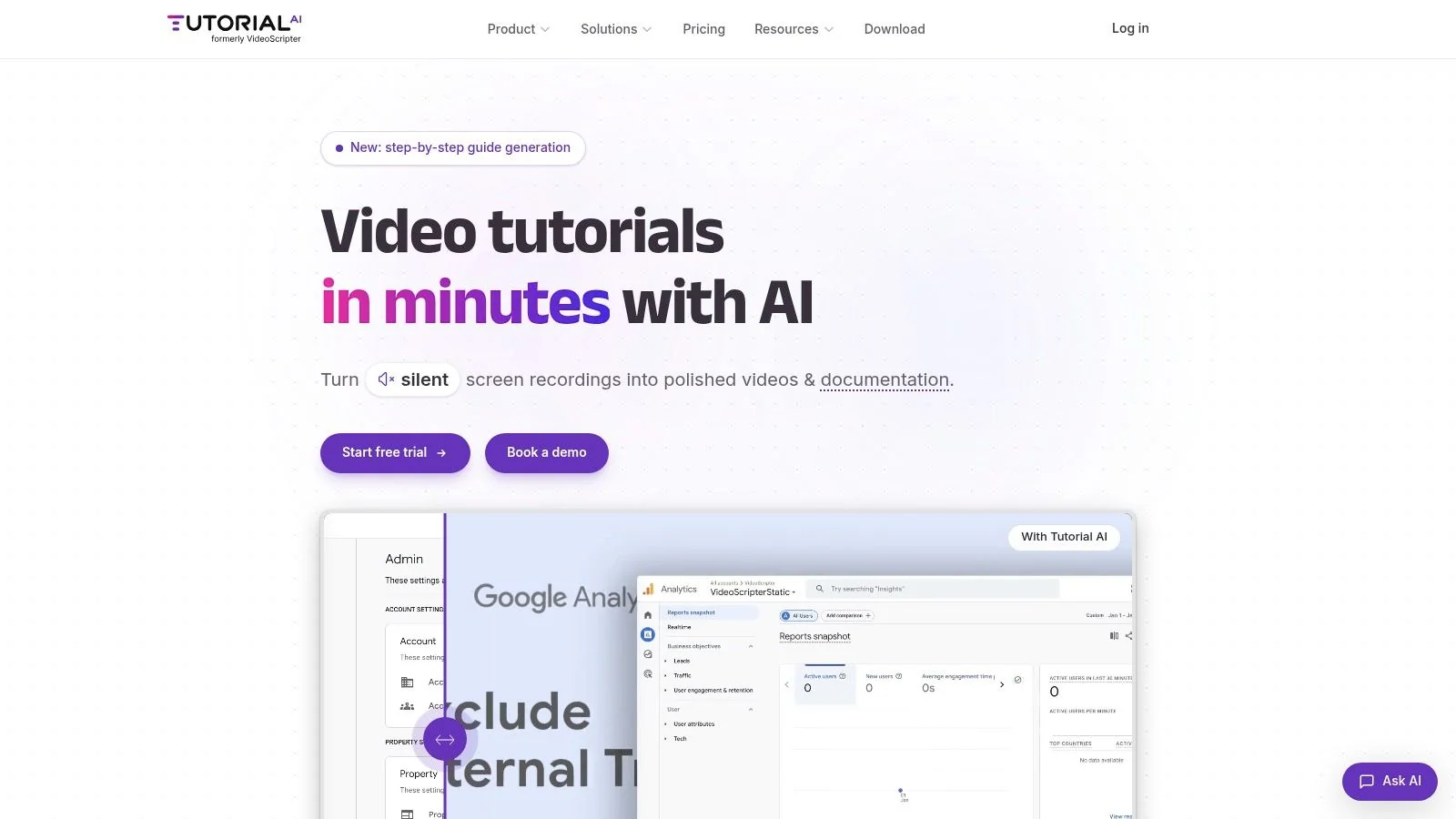
Tutorial AI is the strongest example for teams that need a knowledge base to function as both documentation and training infrastructure. A subject-matter expert records a product demo, onboarding flow, support process, SOP, sales walkthrough, or feature release, then turns that recording into a polished tutorial video and a matching written article. The same workflow fits product demos, customer onboarding, help-center videos, support article videos, internal training, SOPs, and sales enablement walkthroughs.
The information architecture starts with the task, not the recording. A useful article can include the goal, audience, prerequisites, steps, result, and troubleshooting. Guidance for screen-recording documentation recommends keeping a process to about 5 to 12 steps and capturing screenshots where they clarify a decision, as described in this screen-recording documentation workflow. Tutorial AI can generate those structured documents and screenshots from the same source recording, giving teams a repeatable production pattern for a help center.
Why the workflow matters
The practical advantage isn’t just speed. It’s consistency between formats. A written step can explain the action, a screenshot can show the relevant control, and the video can demonstrate the pacing and visual context. Tutorial AI’s “edit like a doc” workflow lets an expert rewrite the script and regenerate narration, captions, timing, and cuts without timeline editing. AutoRetime keeps translated scenes, captions, and cuts aligned with each language’s voiceover, while narration and the Multilingual Player support distribution across 74 languages, a capability also documented in independent video translation tooling.
That makes Tutorial AI a useful fit when one workflow serves several audiences. A product marketer can publish a release video, a technical writer can create the article, support can embed the video in a help center, and learning teams can export training material. The platform also supports Brand Kits, animated slides, embeddable players, shared workspaces, comments, versioning, guest sharing, and SCORM exports.
Production rule: Record the real workflow once, then design the article around the user’s decision points rather than transcribing every sentence.
Tutorial AI is less suitable for teams that require offline-only processing, since recordings are uploaded for cloud processing. Advanced AI voices, custom voice cloning, priority support, and enterprise integrations are reserved for paid or Enterprise plans. Its security positioning includes SOC 2 Type II and ISO 27001 certification, encryption in transit and at rest, and a stated policy of not using customer content to train models. Visit Tutorial AI and use its knowledge base article template to turn a real product workflow into a coordinated video and article.
2. Zendesk Help Center
Zendesk Guide is a strong example of a public support knowledge base connected to case operations. Its value isn’t limited to themes or article publishing. Guide sits within the Zendesk environment, alongside ticketing, messaging, automations, and AI, so teams can connect what customers read with what happens when self-service fails.
The most reusable pattern is a clear path from question to resolution to escalation. A customer might search for a billing answer, open a concise article, try the recommended steps, and then move into a support conversation with context intact. That connection makes the help center part of the service workflow rather than a separate documentation site.
Zendesk also supports multilingual content and federated search across channels. For teams studying public knowledge base examples, its large ecosystem of published help centers offers useful references for category naming, homepage hierarchy, article layouts, and the visibility of contact options.
What to copy
Start with categories based on customer tasks, such as account access, billing, setup, troubleshooting, and integrations. Keep article titles close to the language customers use in tickets and search queries. Then connect the article to the escalation route, so the user isn’t trapped in a dead end when the documented path doesn’t solve the problem.
Support pattern: A help center earns trust when it makes both self-service and human escalation clear.
The main limitation is design complexity. Deep customization may require theme development skills or a marketplace theme. Costs can also become harder to model as a team adds channels and AI across the Suite. For video-led support, teams can study this guide to embed videos in Zendesk, using short recordings for UI-heavy tasks while reserving written articles for searchable answers and edge cases. Explore Zendesk Help Center when your knowledge base must connect directly to ticket outcomes.
3. Intercom Help Center and Knowledge
Intercom’s Help Center and Knowledge system are designed around a more contextual job, deflecting support inside the product experience. Instead of expecting users to leave the application, find a support site, and browse its categories, Intercom can surface relevant articles through the in-product Messenger.
That changes the information architecture. The team still needs strong article titles, clear steps, and useful search terms, but it must also ask where a user is likely to encounter the problem. A setup article may be more effective when shown beside the configuration screen. A billing explanation may belong in the conversation that begins after a failed payment. A troubleshooting guide may need a clear escalation path when the user has already tried the basic fix.
Intercom’s Knowledge system can support human agents and its AI agent, while external sources can be imported or synchronized into the knowledge store. The result is a content model built for reuse across help articles, conversations, and agent workflows rather than a collection of pages that only works on a standalone site.
The governance tradeoff
Contextual delivery makes freshness more important. An outdated article can appear at exactly the wrong moment, increasing confusion rather than reducing contact. Owners should review content when product behavior, pricing, permissions, or support policies change, and they should inspect no-result searches and repeated search refinements for missing language.
The platform’s mixed pricing model, combining seats with usage or credits, can make forecasting less predictable. Intercom also has fewer public showcase pages than some dedicated knowledge base vendors, so its strongest lesson is functional rather than visual.
A useful implementation starts with a small set of high-frequency questions. Map each question to the product surface where it occurs, then decide whether the answer should be an article, a guided conversation, or a handoff to an agent. That prevents the common mistake of treating every support problem as a static FAQ. Review Intercom Help Center and Knowledge when in-product discovery and conversational support are central to your service model.
4. Help Scout Docs
Help Scout Docs demonstrates how a lightweight public knowledge base can pair a clean reading experience with a shared inbox and support widget. The platform suits teams that want to launch quickly, maintain a brandable Docs site, and connect self-service with email or ticket-based support without building a large documentation operation.
Its strongest pattern is restraint. A visitor should see a focused search experience, understandable categories, and article pages that answer one question without forcing the reader through internal product language. The Beacon widget extends that experience into other surfaces, giving users access to relevant documentation and a path to contact support.
A practical structure for fast launch
A small team shouldn’t begin by recreating its entire support archive. Start with the questions that interrupt agents most often, then group them by user task. Account access, billing, setup, integrations, and troubleshooting are more useful starting points than departments such as engineering, marketing, or customer success.
Help Scout’s own guidance around self-service and information architecture gives teams material to study when deciding how much content belongs in each category. Its AI features, including AI Resolutions, also make article quality and retrieval more consequential because the content can support automated answers as well as human browsing.
The tradeoff is customization. Deep visual changes may require CSS work or front-end assistance, and AI Resolutions are billed separately, so teams need to model those costs before expanding adoption. The platform is best when speed, clarity, and a tidy user experience matter more than a highly specialized documentation architecture.
“Launch the smallest useful help center, then let failed searches and unresolved conversations determine what you publish next.”
Use Help Scout Docs as a model for a support center that stays readable under growth. Its lesson is not to publish less permanently. It’s to publish the right task answers first, then add depth when evidence shows users need it.
5. Document360
Document360 is built for teams whose knowledge base is primarily versioned product or technical documentation. Its structure controls, categories, tags, versioning, multilingual workflows, analytics, search, decision trees, and governance features address a problem that simple help centers often expose: documentation changes continuously, and readers need the correct version for their product, plan, or workflow.
The platform’s public demos and case studies are useful because they reveal more than visual styling. Study how a documentation team separates releases, feature areas, troubleshooting, reference material, and guided procedures. Look for whether the navigation reflects the reader’s job or the organization’s ownership boundaries.
Governance over volume
Document360’s analytics and search reporting support an evidence-led maintenance loop. Teams can inspect what users search for, which results they select, where guided troubleshooting branches, and which articles require revision. That aligns with broader knowledge base measurement guidance, which recommends connecting article views with cases, first-response resolutions, no-result searches, and repeated refinements. See knowledge base metrics for support teams for the operational measurement model.
A dedicated documentation platform is especially useful when multiple writers need controlled publishing, version histories, review workflows, and localization. It may be more than a very small or single-language team needs, and exact pricing requires a sales conversation. The right selection question is therefore not “does it have enough features?” but “will those controls prevent publishing errors and make updates routine?”
Document360’s own knowledge base statistics describe the business case for treating documentation as service infrastructure, including the role of self-service in reducing support demand. Use Document360 when accuracy, version control, analytics, and content operations matter more than launching the simplest possible help site.
6. HelpDocs Showcase
HelpDocs is valuable as both a standalone knowledge base platform and a research environment for studying real help-center patterns. Its public Showcase lets teams compare homepage structures, category layouts, search emphasis, article design, custom domains, and brand treatments across different industries.
That makes it different from a vendor page filled with abstract feature descriptions. A subject-matter expert can inspect how real teams label categories, where they place contact routes, how much information they expose above the fold, and whether article pages prioritize steps, context, related content, or media.
Turn visual research into a content model
The strongest way to use a showcase is to record observations rather than copy appearances. For each example, ask:
- Audience: Can a first-time user identify the correct path immediately?
- Navigation: Does the homepage reflect tasks, product areas, roles, or lifecycle stages?
- Search: Are common questions visible before the user types?
- Article design: Does each page answer one question and show the next action?
- Escalation: Can the reader contact support when self-service stops working?
HelpDocs supports fast templates, flexible theming, custom domains, and one-click migrations. Its transparent pricing and trial options make comparison easier, while AI add-ons use a credit model with documented usage. The limitation is scope. HelpDocs isn’t a complete help desk, so teams may need separate ticketing or live chat tools. Its entry price can also exceed lightweight wiki options.
A public Showcase can expose a contrarian lesson: the most attractive help center isn’t automatically the most effective. Tight taxonomy, question-first titles, visible search, and a credible update workflow matter more than decorative polish. Review HelpDocs when you want concrete visual references and a focused knowledge base rather than an all-in-one support suite. Its research on knowledge base measurement is also useful for thinking about traffic sources and search success without reducing performance to page volume.
7. Atlassian Confluence Knowledge Base Templates
Confluence is the most adaptable example for internal work and cross-functional knowledge. It can serve as a team wiki, an internal documentation hub, a collection of runbooks, or, with Jira Service Management, part of a public support portal. Atlassian’s knowledge base templates and page blueprints help teams normalize recurring formats such as FAQs, known errors, and operational procedures.
The key design decision is audience and access. Internal pages may contain incident procedures, onboarding material, HR guidance, or system instructions that shouldn’t appear in public documentation. Confluence supports that internal model, while Jira Service Management can extend selected knowledge into customer-facing support with access controls and SSO.
Use templates as governance
A template is useful when it encodes a maintenance habit. A runbook can require an owner, prerequisites, rollback steps, and a last-reviewed field. A known-error page can require symptoms, affected systems, workaround, permanent fix, and escalation instructions. Those fields make omissions visible before publication.
Confluence also benefits teams already using Atlassian tools because the existing workspace, Jira issues, and service workflows reduce operational friction. Its Marketplace provides extensions and theming options, while cloud pricing varies by seat count and edition. Public, brand-polished help centers may require more customization than a dedicated customer knowledge base platform.
Governance decision: Give every operational page an owner and a review trigger. “Someone should update this later” isn’t a maintenance system.
Use Atlassian Confluence when employees, support agents, product teams, and engineering groups need connected knowledge. For a repeatable article structure, adapt this knowledge base article template to distinguish audience, prerequisites, procedure, result, troubleshooting, and escalation.
Top 7 Knowledge Base Platforms Compared
| Solution | Implementation complexity 🔄 | Resource requirements ⚡ | Expected outcomes ⭐📊 | Ideal use cases | Key advantages 💡 |
|---|---|---|---|---|---|
| Tutorial AI | Low for basic workflow; Enterprise integrations add complexity | Cloud uploads, paid tiers for advanced voices/enterprise features | Very high, studio-quality tutorials, multilingual videos + docs, faster onboarding | Support & training, product marketing, multilingual documentation | All-in-one video+docs, “edit like a doc”, AutoRetime™, strong security & localization |
| Zendesk Help Center (Guide) | Medium, quick to publish; deep theming requires dev skills | Zendesk Suite license; cost increases with added channels/AI | High, integrated help center tied to ticketing and automations | Teams already using Zendesk needing public KB + ticketing integration | Tight ticketing integration, federated search, many real-world theme examples |
| Intercom Help Center + Knowledge | Medium, set up knowledge model and in-product surfacing | Mixed pricing (seats + usage); content ops to maintain knowledge store | High, strong deflection via in-app surfacing; powers agents and AI | In-app messenger support, conversational deflection, SaaS products | Unified knowledge for agents + AI, contextual in-product article surfacing |
| Help Scout Docs | Low, simple authoring and fast launch | Beacon widget + shared inbox; AI features billed separately | Moderate to high, tidy UX and stronger self-service adoption | Small–mid teams wanting clean KB with email/ticketing | Easy authoring, good IA guidance, brandable public Docs |
| Document360 | Medium–High, granular structure, versioning and governance setup | Quote-based pricing; requires content ops for governance & localization | High, strong analytics, version control and scalable KB quality | Product/technical documentation teams, regulated or multi-language needs | Rich authoring, advanced analytics, granular governance & localization |
| HelpDocs (Showcase) | Low, templates and one-click migrations speed setup | Flat transparent pricing; may need separate ticketing/chat | Moderate to high, modern KBs and easy migrations; many showcase examples | Teams needing standalone KB with fast rollout and clear pricing | Curated Showcase, fast templates, simple theming and migrations |
| Atlassian Confluence | Medium, templates ease setup; public polish often needs add-ons | Seat-based pricing; integrates with Jira/JSM and Marketplace apps | Moderate, flexible wiki for internal/external docs; consistent structure | Organizations using Atlassian stack, internal knowledge and runbooks | Templates/blueprints, scalability, strong Jira integration and marketplace ecosystem |
Turn These Patterns Into Your Own Knowledge Base
Choose the platform by the job your knowledge base must perform. A public support center should make self-service, search, article feedback, and escalation visible. Zendesk suits teams that want help content tied closely to ticketing and messaging. Intercom is stronger when relevant answers should appear inside the product conversation. Help Scout Docs fits a fast, clean launch paired with an inbox.
Choose a documentation platform when versioning, structured navigation, analytics, localization, and governance are central. Document360 is designed for that operating model. Choose HelpDocs when you need a focused help center and want a broad Showcase for studying real layouts. Choose Confluence when internal and cross-functional work matters more than a fully branded public experience. Choose Tutorial AI when the same workflow needs to become documentation, video, screenshots, and training material.
The repeatable patterns are more important than the vendor names:
- Organize around user tasks: Name categories and articles for what people need to accomplish, not how the company is divided.
- Make discovery visible: Use search, contextual surfacing, shortcuts, related articles, and question-first titles.
- Pair formats deliberately: Use concise written steps for retrieval, focused videos for visual context, and guided workflows for decisions with branches.
- Assign ownership: Define who reviews each area and what product, policy, or process change triggers an update.
- Localize selectively: Expand languages where audience demand and support coverage justify the maintenance responsibility.
- Measure unresolved questions: Track no-result searches, repeated refinements, article-to-case relationships, helpful ratings, and first-response resolutions rather than page volume alone.
The broader evidence supports this operational view. One industry source reports that 51% of customers prefer technical support through a knowledge base, while another reports that well-maintained self-service can deflect about 23% of support volume on average and that large organizations attribute roughly $11 million in annual savings to that deflection. See the knowledge base statistics overview for the cited figures. These numbers don’t prove that publishing more pages will improve support. They show why teams should connect content usage to service outcomes.
Maintenance deserves equal attention. A 2026 analysis reports that fewer than one in 20 documents in an active knowledge base gets updated in a month, the top 1% of contributors create 47% of content, and 76% of registered users never create a document. The same analysis associates AI access with 55% more documents per month per user and reports that heavily AI-using workspaces hold four times more documents than light AI users, as described in knowledge base research from Slite. The conclusion is practical: automation can increase output, but governance determines whether that output remains useful.
When one process serves support, onboarding, or internal training audiences, record it once and repurpose it into a polished video, article, screenshots, and training export with Tutorial AI. That workflow gives the subject-matter expert one source of truth while giving each audience the format it needs.
Tutorial AI turns a narrated screen recording into a polished tutorial video and a structured help article with screenshots from the same workflow. Record a real product process, reuse it across support, onboarding, and training, and visit Tutorial AI to start building a more maintainable knowledge base.