You already know the bottleneck. The English product walkthrough is done. Support wants it for the knowledge base. Sales wants a version for prospects in other regions. L&D needs it for onboarding. Someone asks whether you can get it into multiple languages before the next release goes live.
A few years ago, that request meant compromise. You either shipped subtitles and hoped viewers could follow along, or you paid for a slow, manual localization process that broke every time the source video changed. Today, a good translator video app changes that equation. It turns video translation from a one-off production task into part of the content operations stack.
Why Global Video Content Is Suddenly Within Reach
A lot of teams still think video translation belongs in the “nice to have” category. That view is outdated. For support, enablement, onboarding, and documentation teams, multilingual video is becoming basic infrastructure.

The clearest sign is how quickly the tools matured. In a 2026 market roundup, Rask AI is described as supporting 130+ languages and long-form videos up to 2 hours, while HeyGen supports 175+ languages, which points to a shift from limited language-pair utilities to broader localization workflows built for business use (GeckoDub’s 2026 roundup).
What changed in practice
The old workflow had too many handoffs. A team recorded a demo, sent it for transcription, translated the script, hired voice talent, re-edited timing, rebuilt captions, then repeated the process after every product update. That wasn’t scalable for fast-moving software teams.
Now the better tools combine those jobs in one workflow. They transcribe speech, translate it, generate new narration, and keep the video aligned closely enough that localization stops being a special project.
That matters most for teams producing repeatable business content:
- Knowledge base teams need help videos that match the current product UI.
- Customer education teams need onboarding content that doesn’t lag behind releases.
- Sales enablement teams need demos that feel local, not imported.
- Internal training teams need consistent delivery across regions.
Teams aren’t just translating videos anymore. They’re building multilingual content systems.
Why this is different from social media localization
Most coverage treats these tools like creator software for clips. But business video has a different bar. A funny social post can survive awkward dubbing. A support tutorial can’t. If the voice sounds unnatural, the timing drifts, or the on-screen actions no longer match the narration, trust drops immediately.
That’s why this category now matters. The tools got good enough that companies can reasonably expect translated tutorials, demos, and training videos to support real work, not just wider distribution.
The Technology Behind Instant Video Translation
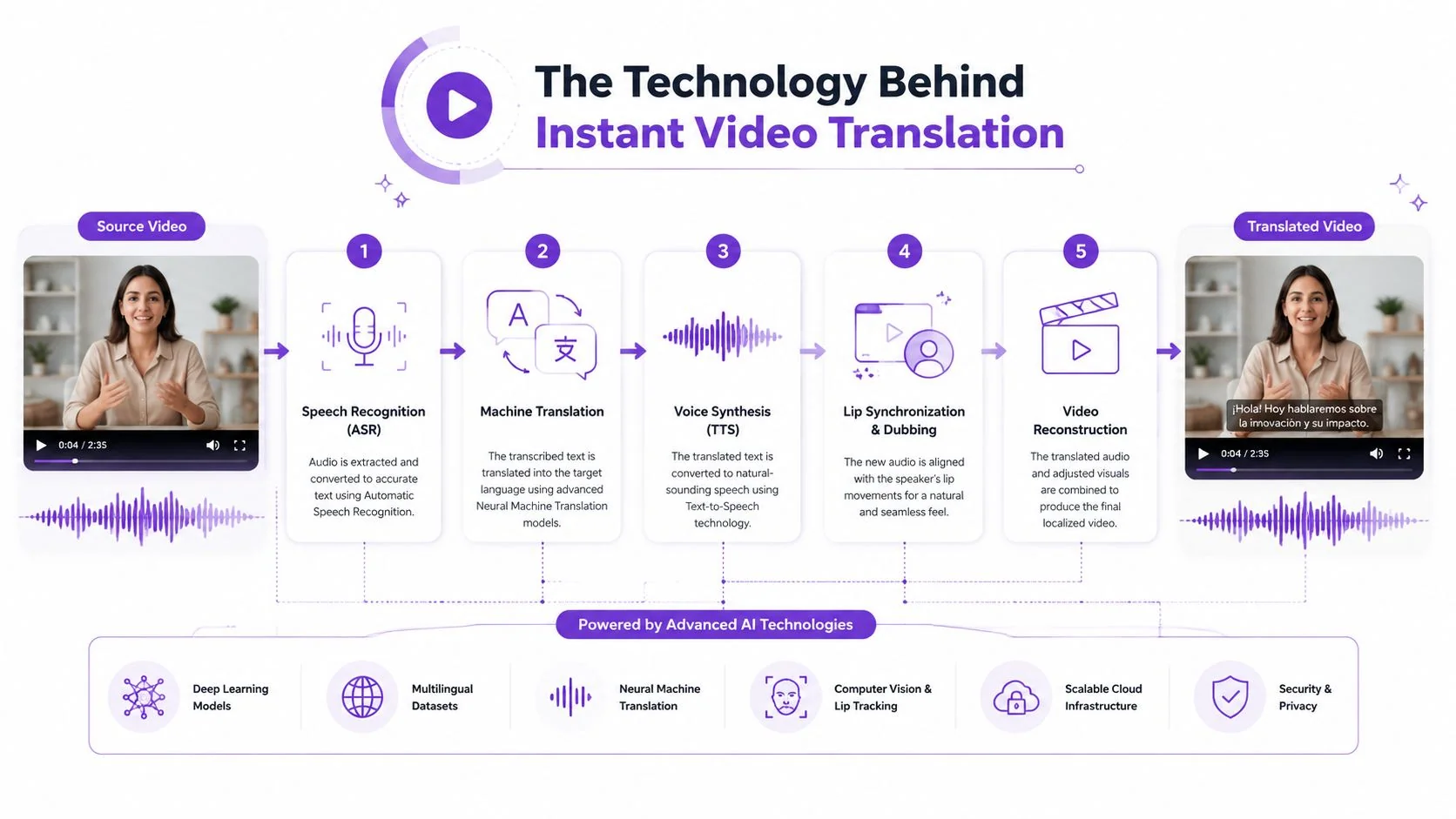
The simplest way to understand a translator video app is to think of it as a digital assembly line. One system listens. Another rewrites. Another speaks. A final layer keeps the video from falling out of sync.
Step one and step two
The first stage is speech-to-text. The app turns spoken audio into a transcript with timestamps. Those timestamps matter because they become the timing map for captions, scene changes, and later voice generation.
The second stage is translation. Many buyers get confused here, especially when tools market subtitles, captions, and translated narration together. If you need a clean explanation of the difference between transcription and translation, that distinction is worth reviewing before you compare products. One converts speech to text in the same language. The other adapts meaning into a new language.
Step three and step four
After the script is translated, the app generates new speech with text-to-speech. Depending on the product, this might be a neutral synthetic voice, a custom brand voice, or a voice-cloned version that tries to preserve the original speaker’s character.
Then comes the least glamorous part and often the most important part for operations teams: re-timing. Languages expand and contract. A short English sentence may take longer in another language. If the tool can’t adjust timing, your cursor clicks happen before the narration explains them, captions flash too quickly, and the entire tutorial feels off.
A reliable system has to coordinate several moving parts:
- Transcript timing so each spoken segment stays anchored to the right moment.
- Translation quality so product terms and instructions stay accurate.
- Voice generation so the audio sounds usable for the context.
- Scene alignment so visual actions still match the new pacing.
Practical rule: The better your source audio and sentence pacing, the better every later stage performs.
The privacy and latency trade-off
Some teams assume cloud processing is always the best route. It isn’t. Microsoft Edge’s real-time video translation runs on-device and states that no data leaves the machine or gets processed in the cloud. It also requires at least 12 GB of RAM and a 4-core CPU, which shows the trade-off clearly: local processing can reduce privacy risk and avoid server round-trips, but it depends on capable hardware (Microsoft Edge real-time video translation).
For enterprise teams, that matters in two ways. First, local processing can help with compliance concerns around sensitive meetings or internal training content. Second, hardware becomes part of deployment planning. Fast translation isn’t only about the model. It’s also about where the model runs.
Expanding Your Reach with Video Translation
The biggest opportunity isn’t viral content. It’s operational content that people need to do their jobs.
Support centers, customer education libraries, internal academies, and presales teams all rely on the same pattern: record once, publish widely, update often. That’s where a translator video app becomes a business process tool rather than a media experiment.
Knowledge bases and support workflows
Documentation teams usually start with text because text is easier to maintain. Video becomes harder the moment the product UI changes. Every release can break a carefully produced walkthrough.
That’s why the critical question isn’t whether an app can translate a finished video. It’s whether the workflow can stay maintainable over time. A recent review of video translation tools points out that the underserved use case is product demos and documentation, and that businesses need systems that can keep multilingual content maintainable as products evolve, especially through capabilities like automated re-timing and version control (Immersive Translate’s review of video translation apps).
For teams managing help centers, that’s the difference between a useful library and a stale one.
A practical evaluation starts with questions like these:
- When a screen changes, can you update the source video without rebuilding every language version manually?
- Can captions, timing, and narration stay aligned after edits?
- Can your team track versions across multiple locales without spreadsheet chaos?
If you’re comparing workflows, this overview of video translation services for business content is useful because it frames translation as an ongoing content operation rather than a one-time export.
Training and onboarding across regions
Training teams run into a different failure mode. They often centralize material in one language, then ask local teams to explain the same process live. That creates inconsistency. One office gets the polished version. Another gets a rough retelling.
Translated video reduces that drift. The core explanation stays consistent while the delivery becomes accessible to each audience. That’s especially valuable for onboarding, compliance walkthroughs, admin procedures, and product training where sequence matters.
Sales and presales content
Presales teams often need a localized product demo long before a company is ready to produce region-specific video from scratch. A translated demo can bridge that gap if it still feels credible.
What doesn’t work is treating every use case the same. A lightweight social clip can tolerate robotic speech. A sales engineer demo can’t. Buyers notice when the voice sounds detached from the product, when lip sync distracts, or when product terminology gets translated too word-for-word.
The strongest teams don’t ask, “Can we translate this?” They ask, “Can we maintain it after the next release?”
That shift in mindset is what moves translation from campaign support into operations.
A Checklist for Choosing Your Translator Video App
Most product pages lead with language count. That’s useful, but it isn’t enough. For business video, the buying decision should start with output quality and workflow fit.
The category benchmark has shifted. HeyGen promotes translation into 175+ languages and dialects with voice cloning and lip sync, while Adobe Firefly’s Translate Video supports 20+ languages with tighter input constraints, which illustrates the trade-off between broad coverage and a more controlled creative environment (HeyGen Translate).
What matters more than the headline number
If your content is customer-facing, you should care less about the largest language menu and more about whether the translated video still feels publishable. A tool may support many languages and still produce output that sounds wrong for training, support, or demos.
Use this checklist instead.
| Feature | Why It Matters | What to Look For |
|---|---|---|
| Language breadth | Determines whether the app can support your target regions from one workflow | Coverage that matches your current and near-term markets, not just a vanity number |
| Dubbing fidelity | Affects trust, comprehension, and brand perception | Natural pacing, clear pronunciation, and voice options that fit business content |
| Voice cloning and voice control | Helps preserve speaker identity or brand consistency | The ability to choose when to clone a voice and when to use a cleaner synthetic alternative |
| Lip sync | Improves perceived quality in presenter-led content | Good alignment for talking-head videos, with the option to deprioritize it for screen recordings |
| Auto re-timing | Keeps visuals, cuts, and narration aligned after translation | Scene timing that adjusts with the target language instead of forcing manual edits |
| Caption editing | Captions often need review even when dubbing is solid | Editable subtitle tracks, easy terminology correction, and final QA before export |
| Version management | Critical when products change often | A workflow for updating source content without rebuilding everything from scratch |
| Review workflow | Reduces brand and accuracy risk | Team review, approval steps, and simple handoff to native-language reviewers |
| Integrations | Keeps localization connected to publishing systems | Compatibility with LMS, CMS, knowledge base, or documentation workflows |
Match the tool to the content type
A talking-head launch video and a screen-recorded admin tutorial aren’t the same job.
- For presenter videos, prioritize dubbing quality, lip sync, and voice preservation.
- For product walkthroughs, prioritize transcript editing, re-timing, and screen-action alignment.
- For documentation teams, prioritize maintainability, versioning, and publishing workflow.
- For training libraries, prioritize consistency across many modules, not just one polished output.
If you’re weighing voice quality against workflow efficiency, this guide to the best AI video dubbing options for business use is a good companion resource.
Buy for the hardest video you publish regularly, not the easiest one in your library.
Red flags during evaluation
Some demos hide the problems you’ll hit in production. Watch for these signs:
- Clean sample bias where every example uses studio audio and slow, careful speech.
- No revision path after translation, which usually means painful fixes later.
- Subtitle-first positioning when you need voiceover-led training content.
- Weak terminology control for product names, feature labels, and UI language.
A good translator video app doesn’t just generate output. It gives your team a workflow you can live with every month after launch.
Translating a Tutorial with an AI Video Editor
The hardest video to localize is usually the one a subject matter expert records quickly because they know the product well. The content is valuable. The raw recording is not.
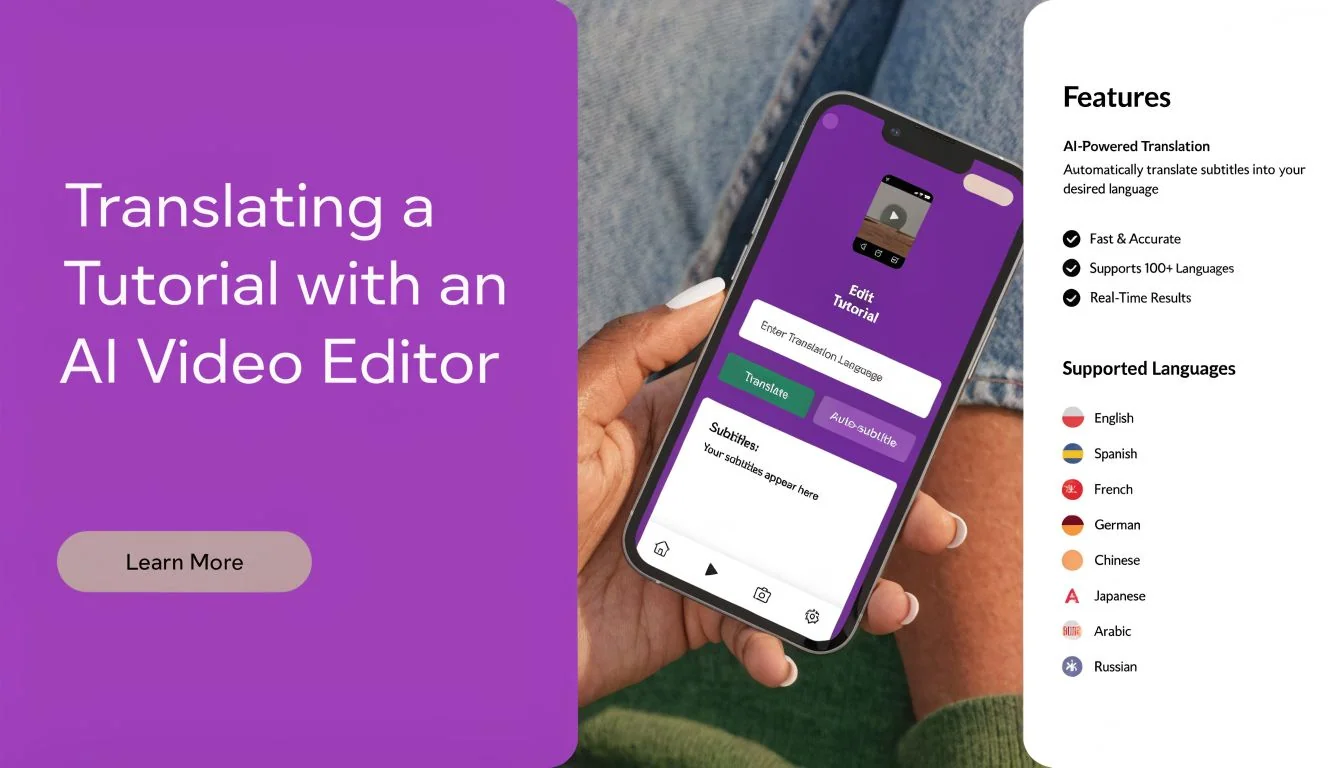
A typical screen recording made in a quick recorder is often much longer than it needs to be because the speaker pauses, backtracks, repeats steps, and talks while thinking. On the other end of the spectrum, professional editors can tighten everything, but that usually means opening complex software and doing precise timeline work that most product experts won’t touch.
The old way breaks on routine updates
Say a product manager records a feature release video. They speak naturally, pause to find the right menu, restart a sentence, then continue. The result is informative but messy. If that video goes through a traditional localization path, every rough edge gets multiplied.
You don’t just clean one version. You clean the source, then you localize, then you fix timing, then you fix captions, then you patch every translated version when the original changes.
That’s why many teams stop at English or publish low-quality subtitles and call it done.
The modern workflow for screen recordings
An AI video editor changes the order of work. Instead of perfecting the performance before recording, the subject matter expert can record first and shape the explanation afterward.
A practical workflow looks like this:
-
Record the product demo naturally — The expert walks through the feature, onboarding flow, or support fix without trying to sound like a voice actor.
-
Generate a transcript from the recording — The spoken explanation becomes editable text.
-
Polish the script instead of cutting a timeline — Remove filler, tighten explanations, fix terminology, and make the narration clearer.
-
Regenerate the voiceover — The cleaned script becomes a more polished narration track.
-
Translate into target languages — The same tutorial can then be localized from the improved source version rather than from the rough first take.
-
Re-time scenes and captions — The visuals need to stay aligned with each language’s pacing.
AI editing thus becomes more than convenience. It allows the person who understands the product best to create a tutorial that looks professionally edited without needing professional editing skills.
Why this matters for demos and documentation
For screen-recorded content, “native enough” usually depends less on lip sync and more on pacing, narration clarity, and timing accuracy. If the cursor highlights the wrong thing at the wrong moment, viewers lose confidence fast.
That’s why script-based editing is so effective for tutorials. It lets teams fix the explanation first, then let the system update voiceover, captions, and timing around that cleaner source. For businesses producing product demos, onboarding videos, feature release videos, knowledge base walkthroughs, and support article videos, that workflow is dramatically more practical than manual timeline editing.
If you want a deeper look at how synthetic narration fits into this process, this overview of an AI voice generator for videos is worth reading.
The best instructional videos don’t sound over-rehearsed. They sound clear, confident, and tightly edited.
That’s the true promise here. Not that every employee becomes a video producer, but that the gap between product expertise and production quality gets much smaller.
Best Practices for Professional-Grade Translated Videos
Most teams still judge a translator video app by whether it produces a translated file. That’s the wrong bar. The real test is whether viewers trust the result.
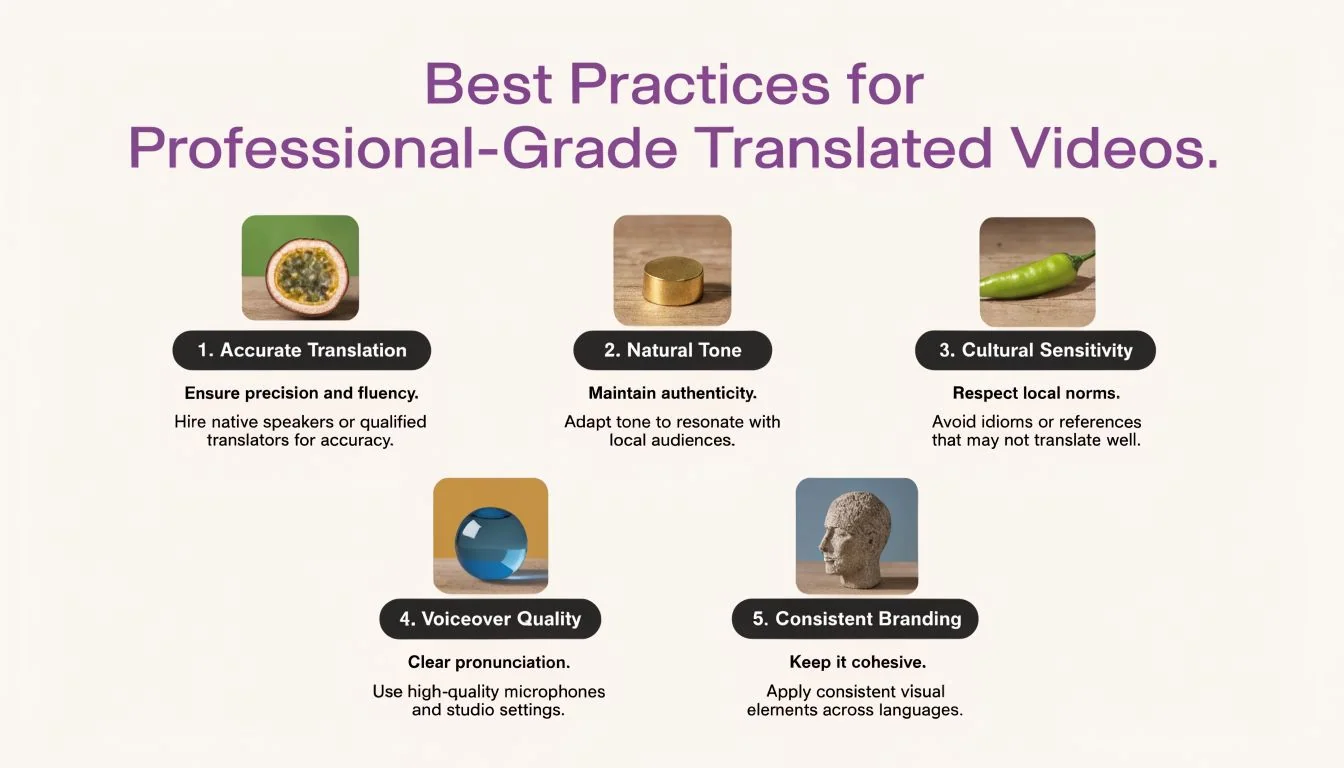
A strong summary from VEED’s market positioning captures the issue well: the key buyer question is whether the translated video will feel native enough to trust, especially for enterprise training and sales where authenticity matters more than raw feature count (VEED video translator).
Start with a better source
Translation systems are sensitive to source quality. If the original recording is rushed, full of filler, or packed with overlapping ideas, every later stage gets harder.
Use these habits before you translate:
- Speak in short complete thoughts so the transcript has clean units to work with.
- Keep terminology consistent across the recording, captions, and UI labels.
- Reduce background noise and avoid talking over alerts or system sounds.
- Pause between actions so the system has room to align narration with screen changes.
Add a human review step
Even strong machine output can miss tone, idiom, or product language that local users expect. High-stakes content needs review before publishing.
A lightweight QA pass should cover:
- Terminology accuracy for feature names and support language
- Caption readability for line length and timing
- Voice fit for the audience and content type
- Screen alignment so spoken instructions match visible actions
- Cultural fit for examples, phrasing, and formality
A translated video can be technically correct and still feel wrong.
Choose consistency over novelty
Teams sometimes over-focus on impressive effects like dramatic voice cloning or aggressive lip sync. Those features can help, but consistency matters more in a training library.
Pick a repeatable standard:
- Use a stable voice style across a series
- Create a terminology list for recurring product language
- Define review ownership so someone is accountable before release
- Treat updates as part of maintenance, not an exception
That approach produces a library that feels intentional rather than assembled tool by tool.
If your team creates demos, onboarding, support, or documentation videos and needs them to stay polished across languages, Tutorial AI is built for that workflow. It turns raw screen recordings into studio-quality tutorials, lets subject matter experts speak naturally without timeline editing, and keeps voiceover, captions, and timing aligned as you translate and update content.