
Export your video as a SCORM package
Package a published video as a SCORM 1.2 or SCORM 2004 course — with a completion threshold — and upload it to your LMS with built-in progress tracking.
💡 SCORM export is available on the Enterprise plan only.
A SCORM package wraps your finished video in the standard format that Learning Management Systems understand — so you can drop it into your LMS and have it report completion back automatically. Tutorial AI packages your published video as either a SCORM 1.2 or SCORM 2004 course, with a completion threshold you set, and hands you a .zip ready to upload.
Publishing the video first
Generate your video, then click Publish in the header to open the publish panel. Once the video is live, the button reads Published.
SCORM packages the video that’s currently published. The .zip references the live embed — when you edit the video and republish it, learners in your LMS see the update automatically. No new export needed.
Opening the SCORM panel
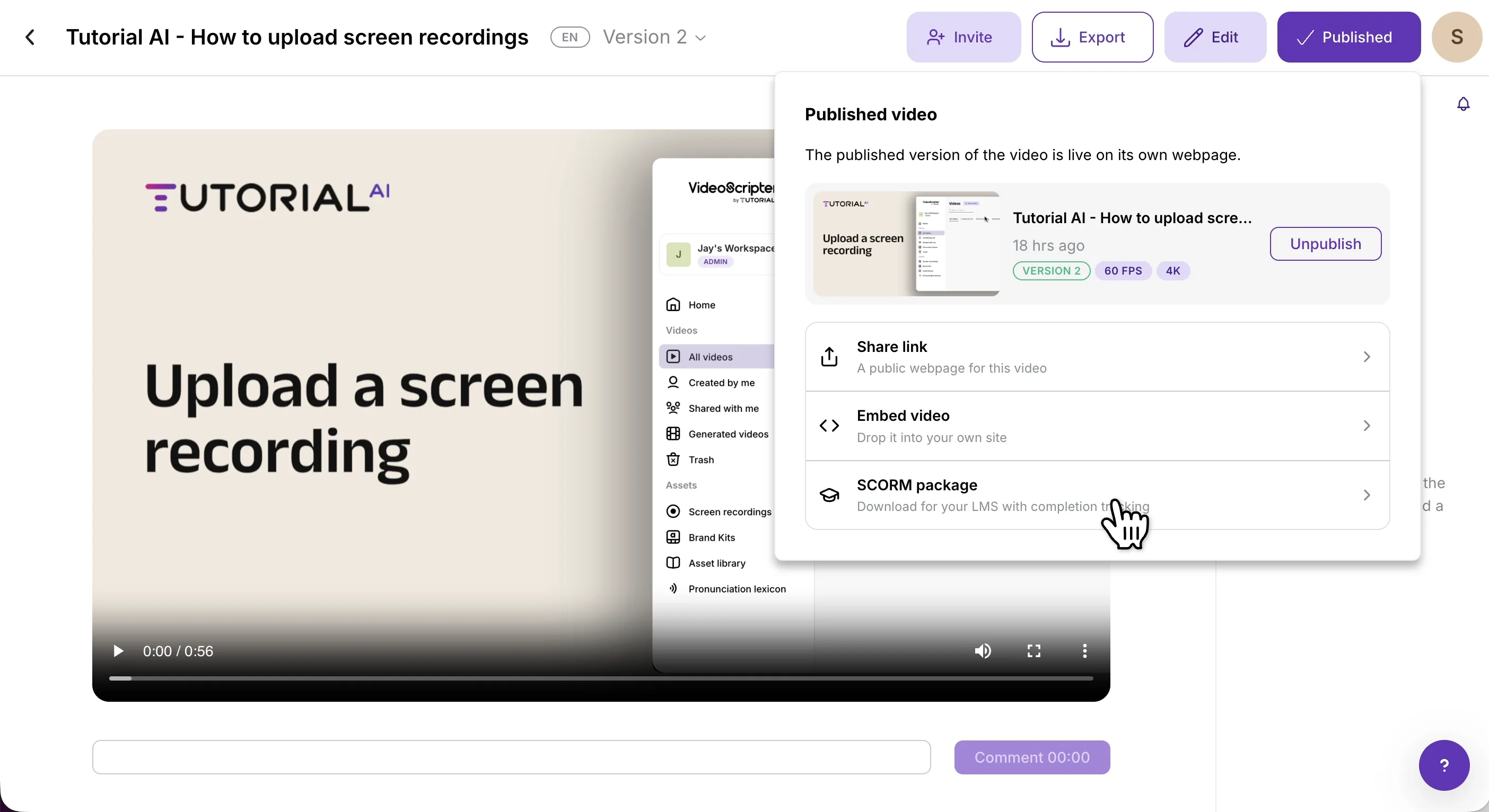
In the Published video panel, alongside Share link and Embed video, select SCORM package — Download for your LMS with completion tracking.
Choosing the SCORM version
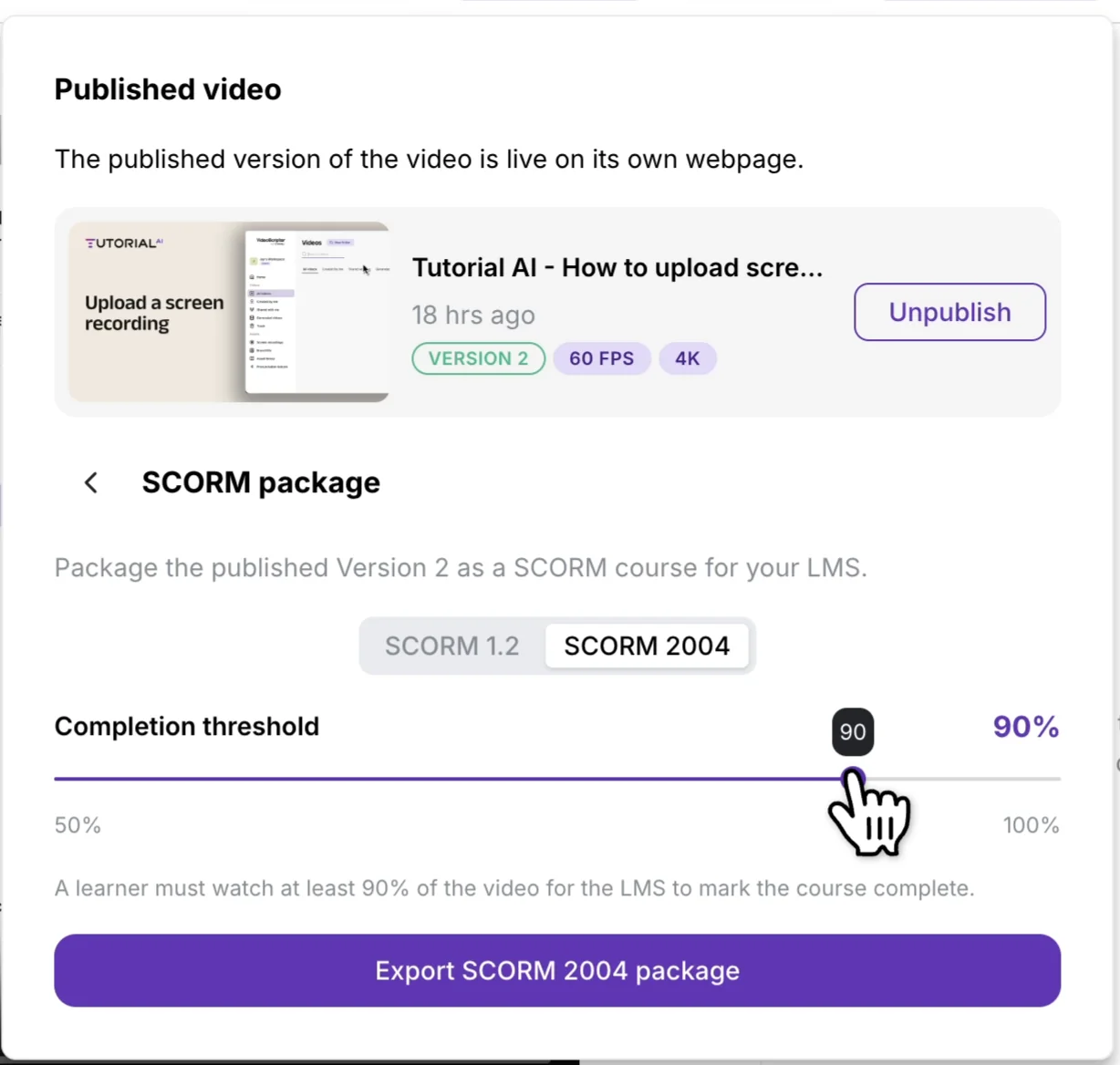
Use the toggle at the top of the SCORM panel to pick between the two standards:
- SCORM 1.2 — the most widely supported standard; choose it if you’re unsure or want maximum LMS compatibility.
- SCORM 2004 — a newer standard with more detailed tracking; choose it if your LMS specifically requires it.
Setting the completion threshold
Drag the Completion threshold slider to set how much of the video a learner must watch — anywhere from 50% to 100% — for the LMS to mark the course complete.
Exporting the package
Click Export SCORM 1.2 package (or Export SCORM 2004 package) to generate the .zip. Upload the downloaded file to your LMS as a new SCORM course.
Notes
- Edits update automatically. The
.zipreferences the video’s live embed — republish an edited version and learners in your LMS see it the next time they open the course. No need to re-export or re-upload the package. - Match the version to your LMS. If your LMS accepts both, SCORM 1.2 is the safest default. Only reach for SCORM 2004 when your LMS specifically requires it.
- Publish before you export. The package points at whatever version is published when you generate it — publish the version you want your learners to start on before you download the
.zip.
Prefer a plain share link or an embed instead of an LMS package? See Export & Publish video.