
The AI narrator says something completely wrong
What to do when the generated audio sounds like gibberish or says something unexpected.
Occasionally the AI voice model can hallucinate — producing audio that sounds like garbled noise, random words, or something entirely unrelated to your script. This is a known limitation of speech synthesis models and usually affects only a single word or sentence.
How to fix it
- Select the word or sentence in your narration script where the bad audio occurs
- Right-click (or open the context menu) and click the Regenerate audio in selection icon
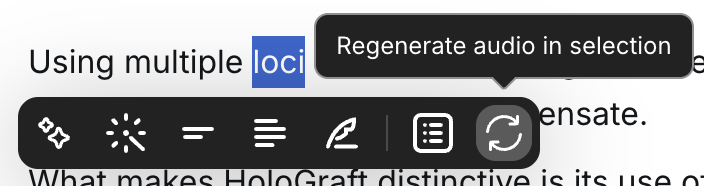
This generates a fresh audio clip for just that selection, without affecting the rest of your narration. If the result is still off, simply run it again — the model will produce a different output each time.